 Firefox
 1 / 7
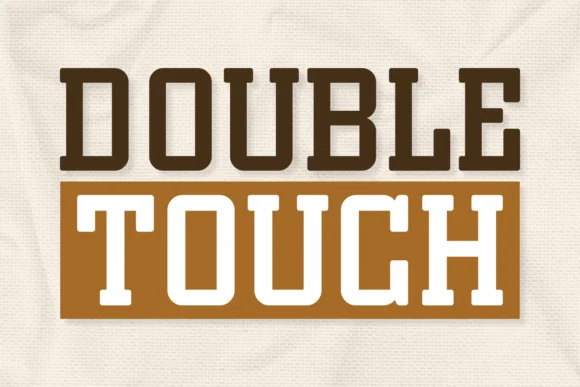
1 / 7About Double Touch Font
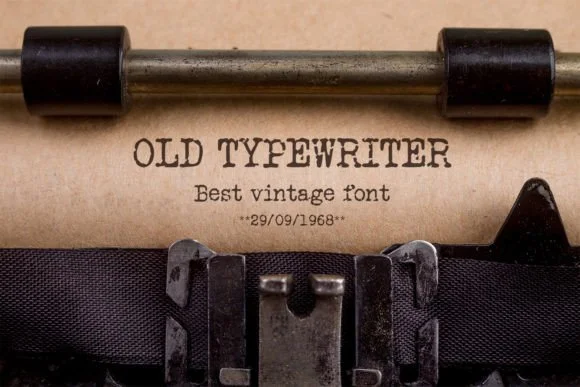
You're laying out the cover for a literary fiction debut, hunting for that 1970s bookstore aesthetic. Double Touch, designed by Jasm of 7NTypes, is a slab-serif font built for exactly this kind of nostalgic pull. Its chunky letterforms carry real weight and command attention without feeling stiff or dated. The strokes are clean and deliberate, built on a distinctly aged character that reads authentic rather than trying too hard.
This typeface thrives on boutique product packaging where labels need to convey heritage and craft, on vintage-inspired t-shirt graphics that catch eyes from across a retail rack, and on greeting card designs where every pixel counts. Magazine mastheads benefit from its thick presence, which holds strong at large headline sizes without losing legibility. Logotypes built with Double Touch land with the kind of gravitas that smaller, more delicate serifs simply can't match. The font supports multiple languages, letting you work across international campaigns without hunting for alternatives or swapping typefaces.
What makes it genuinely practical is the balance between heft and readability that most other vintage serif fonts never quite achieve. Grab it from Creative Fabrica and watch it bring substance to designs that need historical weight without sacrificing modern clarity.
Style & Use Cases
- Overall Style
- Sturdy, Confident, Slab Serif Fonts
- Use Case
- Headlines, Merch
- Ideal For
- vintage posters, logos, and product packaging
- Pairs With
- a light sans-serif
How to Install Double Touch Font
Step-by-step instructions for every platform
- 1Download the Double Touch font file (.ttf or .otf).
- 2Locate the downloaded file in your Downloads folder.
- 3Right-click the font file.
- 4Select "Install" to install for the current user, or "Install for all users" to make it available system-wide.
- 5Double Touch is now available in Word, Photoshop, Illustrator, and all other apps.
More by Jasm (7NTypes)
View all →
Browse fonts by theme
Curated collections →Saw a font in a picture? Identify any font from an image with our free Font Finder.
More Slab Serif Fonts
Browse all →






What pairs well with Double Touch Font?
Double Touch Font is a slab serif font that shines as a display or heading face. Pair it with a clean sans-serif or serif font for body text — the contrast creates a clear hierarchy while the two styles stay balanced and easy to read.




Double Touch Font
Reviewed by the FontBoxDL team · Updated August 2026