
 1 / 8
1 / 8About Doodle Elements Font
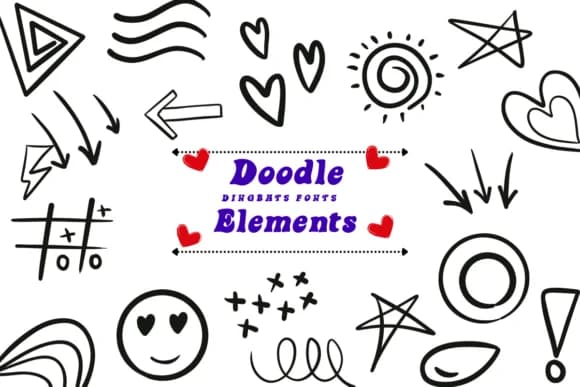
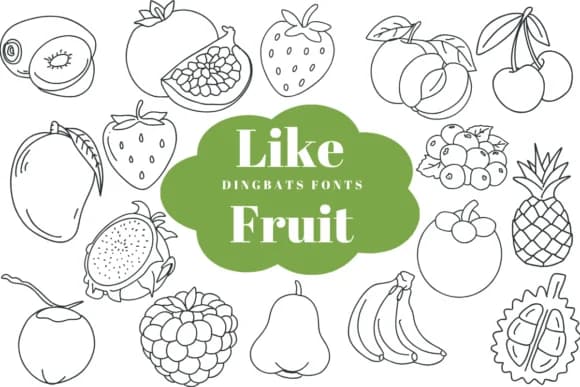
Doodle Elements by Suphitchaya is a hand-sketched dingbats font featuring ornamental flourishes and vintage charm. This collection shines when you're creating handmade stationery, wedding invitation suites, scrapbooking layouts, or product labels for artisanal goods. Each element carries that warm, approachable quality of a sketch, making designs feel personal without sacrificing readability or clarity.
The sketched linework and antique aesthetic work well across both print and digital projects. Designers working in Procreate, Affinity Designer, Affinity Photo, and other vector tools can layer these elements to build cohesive, decorated compositions with ease. Beyond invitations and scrapbooks, the ornate details work beautifully for certificate designs, handmade packaging, decorative borders on custom stationery, and illustration work that calls for that vintage touch. The font pairs naturally with serif typefaces or stands alone as a decorative accent.
What sets this apart is the balance between detail and usability. The doodle elements aren't so busy that they overshadow your main content; they embellish it gracefully. You get that hand-drawn, artisanal feel without the time investment of creating these elements from scratch. Available in both OTF and TTF formats, Doodle Elements adapts to your workflow whether you prefer vector editing or traditional font installation. Grab it from Creative Fabrica to add these vintage touches to your next project.
Style & Use Cases
- Overall Style
- Iconographic, Fonts
- Use Case
- Icons, Accents
- Ideal For
- ornaments, bullets, and decorative flourishes
- Pairs With
- any text font
How to Install Doodle Elements Font
Step-by-step instructions for every platform
- 1Download the Doodle Elements font file (.ttf or .otf).
- 2Locate the downloaded file in your Downloads folder.
- 3Right-click the font file.
- 4Select "Install" to install for the current user, or "Install for all users" to make it available system-wide.
- 5Doodle Elements is now available in Word, Photoshop, Illustrator, and all other apps.
More by Suphitchaya
View all →
Browse fonts by theme
Curated collections →Saw a font in a picture? Identify any font from an image with our free Font Finder.
More Dingbats Fonts
Browse all →







What pairs well with Doodle Elements Font?
Doodle Elements Font is a versatile dingbats font that works for both headings and body text. Pair it with a contrasting sans-serif or serif font to add visual interest and a clear distinction between titles and body copy.



Doodle Elements Font
by Suphitchaya
Reviewed by the FontBoxDL team · Updated July 2026