
 1 / 8
1 / 8About Doodle Crown Font
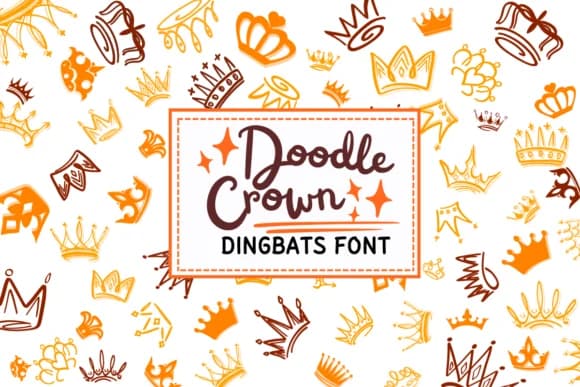
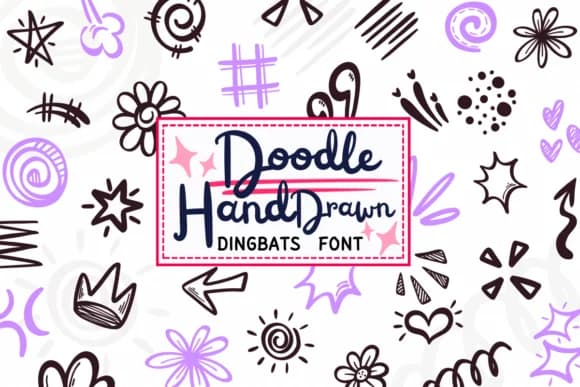
When you're designing a vintage-style greeting card or planning a children's birthday party invitation, having cute crown graphics at your fingertips makes all the difference. Doodle Crown from PraewDesigns is a dingbat font where every character becomes a different crown illustration, bringing a playful, hand-drawn quality to your work. Each keystroke gives you a fresh crown design, so you can layer variations across the same project without repeating a single image.
This font shines for decorative elements in greeting card suites, hand-lettered scrapbook titles, sticker sheet designs, and coloring book pages. The outline style lends itself perfectly to fill-and-draw workflows, whether you're printing pages for kids to color or creating line-art assets for digital projects. Since every character maps to a distinct crown, you can build visual variety quickly without hunting for separate graphics. With both OTF and TTF formats included, it works across design software from Procreate and Affinity Designer to standard Adobe apps.
The variety of crown shapes means you can stack or repeat them to build borders, frames, and ornamental flourishes without losing visual interest. Use them large for statement designs or small for repeating patterns, and the hand-drawn quality stays readable at any size. Grab Doodle Crown on Creative Fabrica and begin layering these doodle crowns into your next project.
Style & Use Cases
- Overall Style
- Iconographic, Crown
- Use Case
- Icons, Accents
- Ideal For
- ornaments, bullets, and decorative flourishes
- Pairs With
- any text font
How to Install Doodle Crown Font
Step-by-step instructions for every platform
- 1Download the Doodle Crown font file (.ttf or .otf).
- 2Locate the downloaded file in your Downloads folder.
- 3Right-click the font file.
- 4Select "Install" to install for the current user, or "Install for all users" to make it available system-wide.
- 5Doodle Crown is now available in Word, Photoshop, Illustrator, and all other apps.
More by PraewDesigns
View all →
Browse fonts by theme
Curated collections →Saw a font in a picture? Identify any font from an image with our free Font Finder.
More Dingbats Fonts
Browse all →







What pairs well with Doodle Crown Font?
Doodle Crown Font is a versatile dingbats font that works for both headings and body text. Pair it with a contrasting sans-serif or serif font to add visual interest and a clear distinction between titles and body copy.



Doodle Crown Font
by PraewDesigns
Reviewed by the FontBoxDL team · Updated August 2026