
 1 / 8
1 / 8About Doodle Candy Festival Font
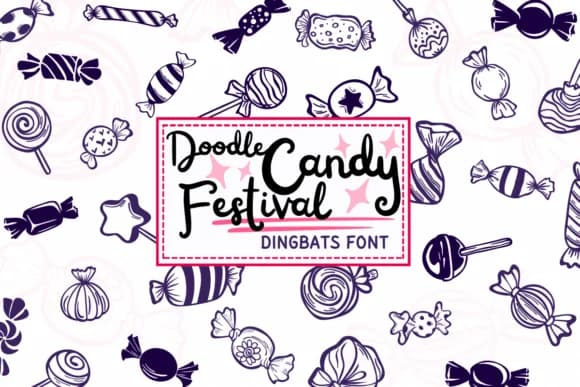
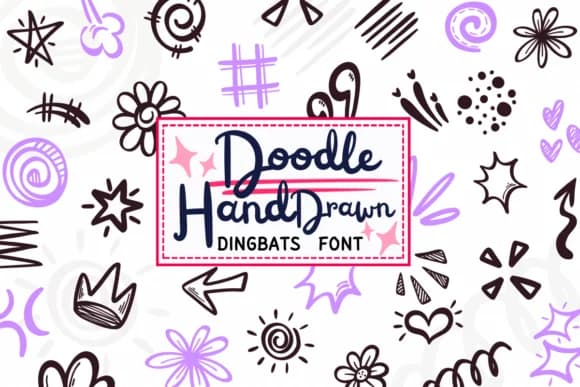
Doodle Candy Festival by PraewDesigns is a playful dingbats font where every character transforms into a colorful candy illustration. Each icon brings whimsy and personality to projects without sacrificing readability. A consistent mono-weight construction ensures the icons work cleanly across both print and digital contexts.
This font shines for specific, tangible uses: scrapbooking layouts, hand-decorated birthday invitation suites, custom bakery product labels, and DIY party decoration projects. You can build cohesive patterns and borders from the candy-themed glyphs, or use individual sweets as standalone design accents. Teachers and parents find the icons perfect for reward charts and classroom materials, while product designers appreciate how they add personality to packaging without overwhelming the label space. Social media creators get colorful, quirky elements perfect for Instagram Stories and Pinterest graphics.
Versatility is where this font really delivers. Resize without quality loss, recolor to match any palette, and use wherever you can access fonts: Canva, Adobe tools, or even Word. Crafters benefit from being able to pull individual icons for cutting and hand-assembly work. Since it functions like a typeface, you can freely mix and match icons for borders, stickers, and themed graphics. Grab Doodle Candy Festival on Creative Fabrica to start building designs that feel handmade and genuinely joyful.
Style & Use Cases
- Overall Style
- Iconographic, Doodle Candy Festival
- Use Case
- Icons, Accents
- Ideal For
- ornaments, bullets, and decorative flourishes
- Pairs With
- any text font
How to Install Doodle Candy Festival Font
Step-by-step instructions for every platform
- 1Download the Doodle Candy Festival font file (.ttf or .otf).
- 2Locate the downloaded file in your Downloads folder.
- 3Right-click the font file.
- 4Select "Install" to install for the current user, or "Install for all users" to make it available system-wide.
- 5Doodle Candy Festival is now available in Word, Photoshop, Illustrator, and all other apps.
More by PraewDesigns
View all →
Browse fonts by theme
Curated collections →Saw a font in a picture? Identify any font from an image with our free Font Finder.
More Dingbats Fonts
Browse all →







What pairs well with Doodle Candy Festival Font?
Doodle Candy Festival Font is a versatile dingbats font that works for both headings and body text. Pair it with a contrasting sans-serif or serif font to add visual interest and a clear distinction between titles and body copy.



Doodle Candy Festival Font
by PraewDesigns
Reviewed by the FontBoxDL team · Updated June 2026