 Firefox
 1 / 9
1 / 9About Dandeleón Font
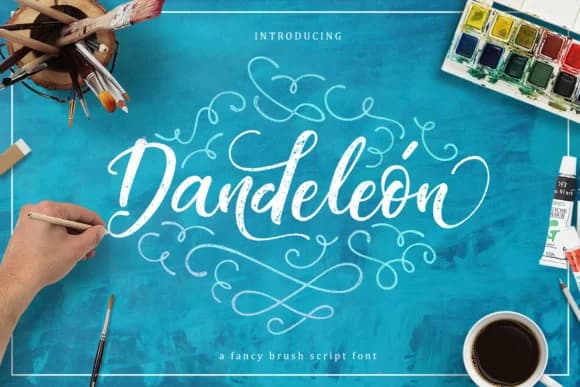
Dandeleón by Burntilldead is an inky calligraphic script that brings organic, hand-drawn character to any creative project. With its flowing letterforms and authentic brush-like texture, this typeface captures the warmth of traditional hand lettering while remaining digital-friendly and easy to implement across different mediums. The collection includes multiple stylistic variants, an italic version, decorative swash forms, and vintage-inspired iterations, giving designers flexibility for layering and creative combinations. This range of options allows you to establish visual hierarchy and add nuanced personality to your work. Dandeleón excels in wedding invitation suites with its elegant, flowing curves, and brings character to scrapbooking layouts that demand authentic, personal touches. It's equally suited for creating hand-drawn logo concepts for independent artists and small brands, as well as lettering boutique product packaging where consumers expect artisanal quality and handcrafted appeal. The typeface bridges the gap between raw artistic expression and refined typography, it maintains the soul of genuine hand lettering while offering the precision and consistency digital applications require. Whether your project calls for nostalgic vintage vibes or contemporary organic aesthetics, this script delivers authentic visual impact. Get Dandeleón on Creative Fabrica to bring hand-lettered charm to your next creative endeavor.
Style & Use Cases
- Overall Style
- Elegant, Flowing, Dandeleon
- Use Case
- Invitations, Branding
- Ideal For
- wedding stationery, greeting cards, and signatures
- Pairs With
- a simple uppercase sans
How to Install Dandeleón Font Font
Step-by-step instructions for every platform
- 1Download the Dandeleón Font font file (.ttf or .otf).
- 2Locate the downloaded file in your Downloads folder.
- 3Right-click the font file.
- 4Select "Install" to install for the current user, or "Install for all users" to make it available system-wide.
- 5Dandeleón Font is now available in Word, Photoshop, Illustrator, and all other apps.
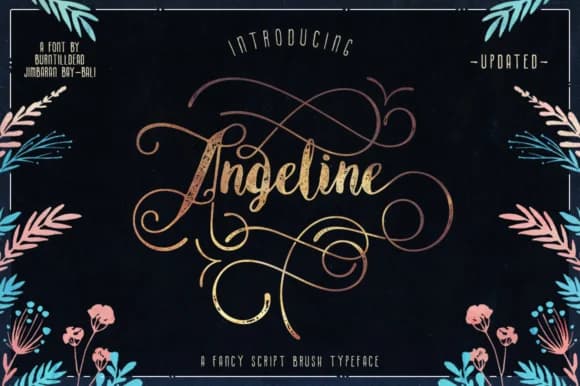
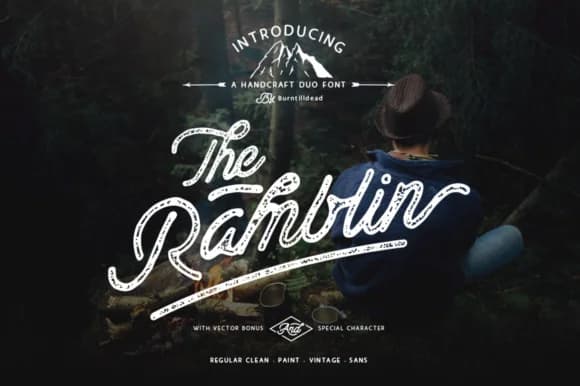
More by Burntilldead
View all →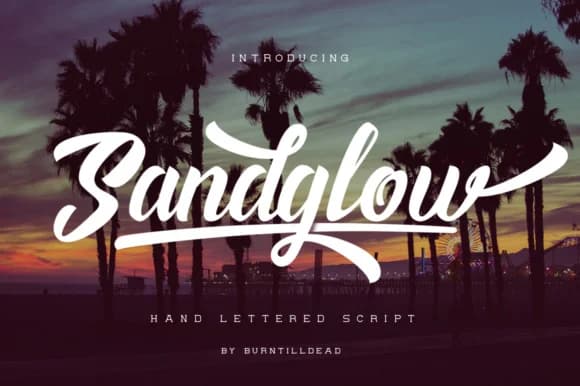

Browse fonts by theme
Curated collections →Saw a font in a picture? Identify any font from an image with our free Font Finder.
More Script Handwritten Fonts
Browse all →







What pairs well with Dandeleón Font?
Dandeleón Font is a script font that shines as a display or heading face. Pair it with a clean sans-serif or serif font for body text — the contrast creates a clear hierarchy while the two styles stay balanced and easy to read.



Dandeleón Font
by Burntilldead
Reviewed by the FontBoxDL team · Updated May 2026