
 1 / 8
1 / 8About Cute Chocolate Font
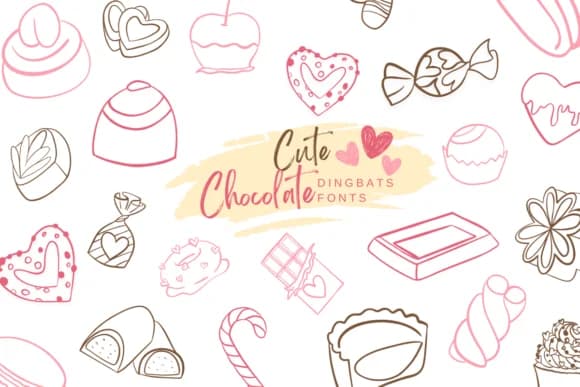
Cute Chocolate by Suphitchaya is a playful dingbat collection built around chocolate and candy illustrations. The set includes chocolate bars, wrapped candies, hearts, and other dessert-themed shapes rendered with a charming, hand-drawn character that feels approachable and fun. This works exceptionally well for confectionery branding, bakery menu headers, chocolate shop packaging designs, Valentine's Day card layouts, and custom gift wrap patterns where you need decorative flourishes instead of traditional type.
The font comes in both OTF and TTF formats, ensuring full compatibility across Affinity Designer, Procreate, Affinity Photo, and other popular design applications. You'll discover enough variety in the character set to layer patterns or create clustered graphic compositions without obvious repetition. Small candy makers, artisanal chocolatiers, and craft brands regularly use dingbat fonts like this one to create product labels, Etsy shop graphics, and social media posts where a handcrafted, illustration-heavy look resonates more than straight text.
For indie projects, small business owners, or larger brands building a whimsical identity, this collection of confectionery shapes provides ready-made graphic elements that eliminate the need for custom illustration work. You can drop these shapes into scrapbook layouts, DIY craft projects, and digital art without licensing hassles. Pick up Cute Chocolate from Creative Fabrica when you're ready to expand your dingbat library.
Style & Use Cases
- Overall Style
- Iconographic, Fonts
- Use Case
- Icons, Accents
- Ideal For
- ornaments, bullets, and decorative flourishes
- Pairs With
- any text font
How to Install Cute Chocolate Font
Step-by-step instructions for every platform
- 1Download the Cute Chocolate font file (.ttf or .otf).
- 2Locate the downloaded file in your Downloads folder.
- 3Right-click the font file.
- 4Select "Install" to install for the current user, or "Install for all users" to make it available system-wide.
- 5Cute Chocolate is now available in Word, Photoshop, Illustrator, and all other apps.
More by Suphitchaya
View all →

Browse fonts by theme
Curated collections →Saw a font in a picture? Identify any font from an image with our free Font Finder.
More Dingbats Fonts
Browse all →







What pairs well with Cute Chocolate Font?
Cute Chocolate Font is a versatile dingbats font that works for both headings and body text. Pair it with a contrasting sans-serif or serif font to add visual interest and a clear distinction between titles and body copy.



Cute Chocolate Font
by Suphitchaya
Reviewed by the FontBoxDL team · Updated July 2026