
 1 / 8
1 / 8About Cute Candy Font
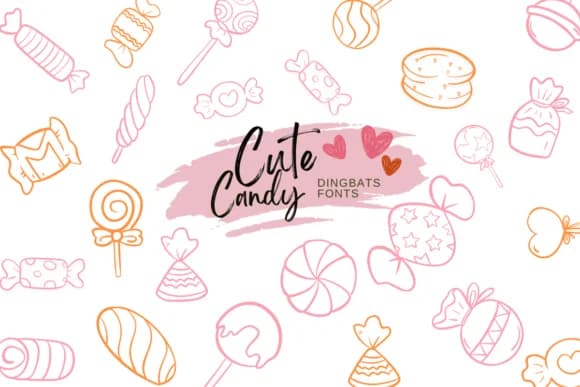
The hand-drawn symbols in Cute Candy, created by designer Suphitchaya, bring genuine playfulness to dingbats through sketched, doodle-like glyphs that feel personal and hand-made. Available in both OTF and TTF, this font works across Procreate, Affinity Designer, and Affinity Photo with clean outlines perfect for coloring, layering, or combining with lettering. The sketchy quality is what sets it apart: it bridges illustration and typography so you get decorative imagery without needing to draw it yourself.
This icon set excels in candy shop menu designs, artisan chocolate packaging, DIY treat bag labels, and hand-lettered wedding favor tags. Recipe cards gain visual life from the dessert symbols, while children's coloring pages and activity sheets benefit from the cute, accessible drawing style. Confectionery brands packaging small-batch sweets will appreciate how the style reads handcrafted rather than generic. The food imagery moves quickly too, which matters when you need personality in your layout but don't have time to illustrate from scratch.
If your work involves food styling, gift packaging, or any project that benefits from cute candy and dessert symbols, this font rounds out your creative toolkit nicely. The sketchy aesthetic brings personality to designs that might otherwise feel flat or corporate. Get it on Creative Fabrica.
Style & Use Cases
- Overall Style
- Iconographic, Fonts
- Use Case
- Icons, Accents
- Ideal For
- ornaments, bullets, and decorative flourishes
- Pairs With
- any text font
How to Install Cute Candy Font
Step-by-step instructions for every platform
- 1Download the Cute Candy font file (.ttf or .otf).
- 2Locate the downloaded file in your Downloads folder.
- 3Right-click the font file.
- 4Select "Install" to install for the current user, or "Install for all users" to make it available system-wide.
- 5Cute Candy is now available in Word, Photoshop, Illustrator, and all other apps.
More by Suphitchaya
View all →
Browse fonts by theme
Curated collections →Saw a font in a picture? Identify any font from an image with our free Font Finder.
More Dingbats Fonts
Browse all →







What pairs well with Cute Candy Font?
Cute Candy Font is a versatile dingbats font that works for both headings and body text. Pair it with a contrasting sans-serif or serif font to add visual interest and a clear distinction between titles and body copy.



Cute Candy Font
by Suphitchaya
Reviewed by the FontBoxDL team · Updated July 2026