
 1 / 8
1 / 8About Christmas Silhouette Font
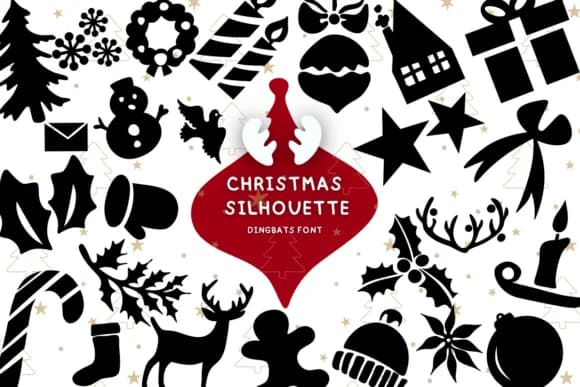
Sketch-style holiday shapes hit a sweet spot between playful and genuinely versatile. Christmas Silhouette by Bee piyanuch brings festive silhouettes with that loose, hand-drawn quality that feels more personal and less corporate than typical seasonal clip art. The dingbats collection gives you a complete toolkit of winter symbols and ornament outlines, each rendered in a style that suits both bold and subtle design approaches across multiple projects.
Holiday greeting card suites come alive when you layer these silhouettes with complementary lettering and decorative borders. Custom gift tags truly benefit from the playful linework, particularly when paired with kraft paper or colored cardstock for a handmade look. Rustic Christmas packaging labels also work beautifully, as do DIY window decals and stencils for craft projects. Seasonal social media graphics gain personality from these shapes too, especially for small businesses and makers building posts where genuine character matters more than polish.
Pair Christmas Silhouette with a straightforward sans-serif typeface like Inter to anchor your text while letting these icons take the spotlight. The combination balances strong decorative impact with readable content across both print and digital formats. Grab the font from Creative Fabrica and add authentic holiday character to your seasonal projects.
Style & Use Cases
- Overall Style
- Iconographic, Christmas Silhouette
- Use Case
- Icons, Accents
- Ideal For
- ornaments, bullets, and decorative flourishes
- Pairs With
- any text font
How to Install Christmas Silhouette Font
Step-by-step instructions for every platform
- 1Download the Christmas Silhouette font file (.ttf or .otf).
- 2Locate the downloaded file in your Downloads folder.
- 3Right-click the font file.
- 4Select "Install" to install for the current user, or "Install for all users" to make it available system-wide.
- 5Christmas Silhouette is now available in Word, Photoshop, Illustrator, and all other apps.
More by Bee piyanuch
View all →
Browse fonts by theme
Curated collections →Saw a font in a picture? Identify any font from an image with our free Font Finder.
More Dingbats Fonts
Browse all →







What pairs well with Christmas Silhouette Font?
Christmas Silhouette Font is a versatile dingbats font that works for both headings and body text. Pair it with a contrasting sans-serif or serif font to add visual interest and a clear distinction between titles and body copy.



Christmas Silhouette Font
by Bee piyanuch
Reviewed by the FontBoxDL team · Updated June 2026