
 1 / 8
1 / 8About Boho Doodle Elements Font
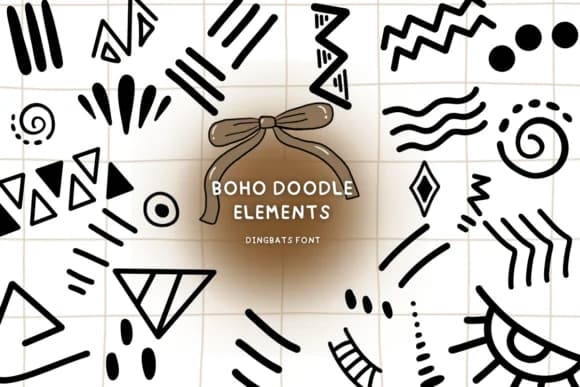
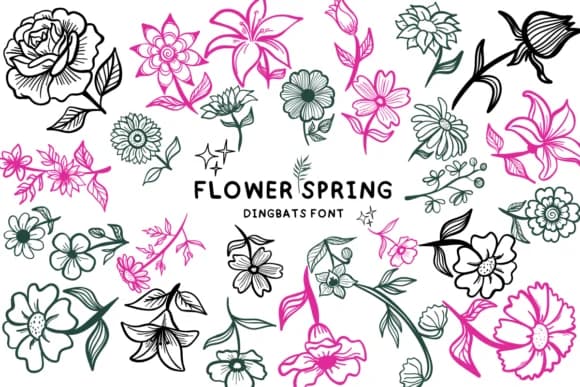
Picture yourself designing wedding invitation suites with hand-drawn linework: that's where Boho Doodle Elements by Bee piyanuch comes in handy. This dingbats font delivers sketch-style line art and celestial symbols to any project needing a bohemian, organic touch. You're not working with traditional letterforms here, but rather a collection of decorative glyphs that function like clipart more than type, each one rendered with that raw, un-smoothed quality.
Use it for Etsy product labels on boutique skincare or handmade goods where visual warmth matters without appearing overworked. Mood boards and vision-planning graphics gain real dimension from moon and star doodles as accents. DIY craft signage and small-batch spiritual branding also pair well with this aesthetic, especially where authenticity outweighs slick polish. The hand-drawn quality feels genuinely sketchbook-born, with no digital smoothing to soften the linework. Tribal patterns, minimalist line art, and celestial imagery populate the set, offering plenty of combinations and layering possibilities for your layouts.
The glyphs hold their own at large display sizes and work equally well as smaller accent marks, giving you flexibility in how you integrate them into designs. Grab it from Creative Fabrica and start layering these elements into your work.
Style & Use Cases
- Overall Style
- Iconographic, Boho Doodle
- Use Case
- Icons, Accents
- Ideal For
- ornaments, bullets, and decorative flourishes
- Pairs With
- any text font
How to Install Boho Doodle Elements Font
Step-by-step instructions for every platform
- 1Download the Boho Doodle Elements font file (.ttf or .otf).
- 2Locate the downloaded file in your Downloads folder.
- 3Right-click the font file.
- 4Select "Install" to install for the current user, or "Install for all users" to make it available system-wide.
- 5Boho Doodle Elements is now available in Word, Photoshop, Illustrator, and all other apps.
More by Bee piyanuch
View all →
Browse fonts by theme
Curated collections →Saw a font in a picture? Identify any font from an image with our free Font Finder.
More Dingbats Fonts
Browse all →







What pairs well with Boho Doodle Elements Font?
Boho Doodle Elements Font is a versatile dingbats font that works for both headings and body text. Pair it with a contrasting sans-serif or serif font to add visual interest and a clear distinction between titles and body copy.



Boho Doodle Elements Font
by Bee piyanuch
Reviewed by the FontBoxDL team · Updated June 2026