 Firefox
 1 / 5
1 / 5About Bluff No2 Font
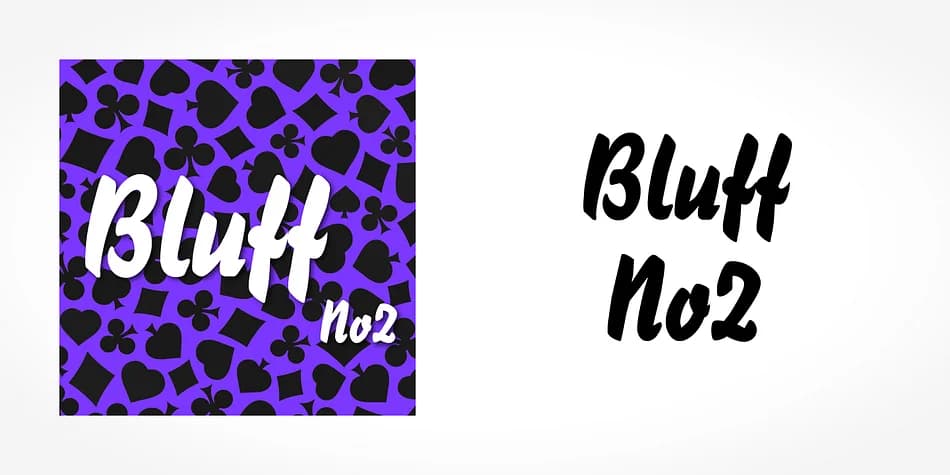
This brush script has the unforced confidence of hand-drawn letters made with a quick, decisive gesture. Bluff No2, from SoftMaker, carries the relaxed energy of informal lettering and feels inviting without pretense or trendiness.
The disconnected letterforms work particularly well for retro-inspired brand identities, vintage poster and signage designs, hand-lettered greeting card suites, and product labels for small-batch shops on Etsy, Shopify, or Storenvy. DIY event signage and nostalgic packaging also showcase this font beautifully. What sets Bluff No2 apart is how it embraces the organic quality of actual brush work without relying on digital tricks to smooth things out. The typeface carries real authenticity because the letterforms are imperfect, and the way characters don't always align creates genuine visual interest. That casual-but-intentional quality is notoriously difficult to pull off. Too polished and it reads as false. Too rough and it becomes a gimmick. Bluff No2 occupies that sweet middle ground where everything feels made by hand but also carefully considered.
Pair it with a neutral sans-serif for body copy or longer text blocks, and the visual contrast keeps everything readable while maintaining that loose, approachable character. You'll find Bluff No2 on Creative Fabrica, ready to bring genuine personality to your next design.
Style & Use Cases
- Overall Style
- Elegant, Flowing
- Use Case
- Invitations, Branding
- Ideal For
- wedding stationery, greeting cards, and signatures
- Pairs With
- a simple uppercase sans
How to Install Bluff No2 Font
Step-by-step instructions for every platform
- 1Download the Bluff No2 font file (.ttf or .otf).
- 2Locate the downloaded file in your Downloads folder.
- 3Right-click the font file.
- 4Select "Install" to install for the current user, or "Install for all users" to make it available system-wide.
- 5Bluff No2 is now available in Word, Photoshop, Illustrator, and all other apps.
More by SoftMaker
View all →

Browse fonts by theme
Curated collections →Saw a font in a picture? Identify any font from an image with our free Font Finder.
More Script Handwritten Fonts
Browse all →







What pairs well with Bluff No2 Font?
Bluff No2 Font is a script font that shines as a display or heading face. Pair it with a clean sans-serif or serif font for body text — the contrast creates a clear hierarchy while the two styles stay balanced and easy to read.



Bluff No2 Font
by SoftMaker
Reviewed by the FontBoxDL team · Updated July 2026