 Firefox
 1 / 7
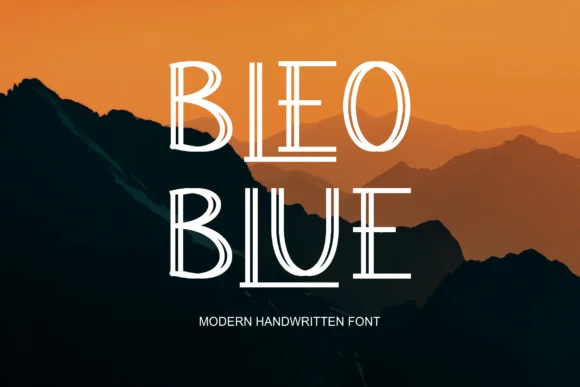
1 / 7About Bleoblue Font
This typeface hits the sweet spot between retro charm and contemporary edge. Bleoblue, created by kalingga.albert, is a slab serif that bridges several design eras with its chunky, confident letterforms and playful geometric structure.
Its weight and visual presence make it truly ideal for bold, dynamic display work across many different applications. Vintage band posters and concert flyers benefit immediately from its strong personality, while indie game title screens harness that digital-era nostalgia effectively. Retro diner branding, craft beer labels, and vintage-inspired stationery design suites all gain real visual punch with this typeface. Creative agencies and designers find it genuinely flexible for identity systems and branding that need actual personality without sacrificing legibility or visual clarity. Podcast cover artwork, album liner notes, and editorial illustration lettering all work particularly well with its chunky, assertive character and overall presence.
Building effective headlines from slab serifs like this one creates strong focal points that catch the eye and hold attention. Pair Bleoblue with a lightweight geometric sans-serif for body copy and supporting text, giving your designs both breathing room and clear visual hierarchy. Grab it from Creative Fabrica and add some retro-modern character to your next project.
Style & Use Cases
- Overall Style
- Sturdy, Confident, Type
- Use Case
- Headlines, Merch
- Ideal For
- vintage posters, logos, and product packaging
- Pairs With
- a light sans-serif
How to Install Bleoblue Font
Step-by-step instructions for every platform
- 1Download the Bleoblue font file (.ttf or .otf).
- 2Locate the downloaded file in your Downloads folder.
- 3Right-click the font file.
- 4Select "Install" to install for the current user, or "Install for all users" to make it available system-wide.
- 5Bleoblue is now available in Word, Photoshop, Illustrator, and all other apps.
More by kalingga.albert
View all →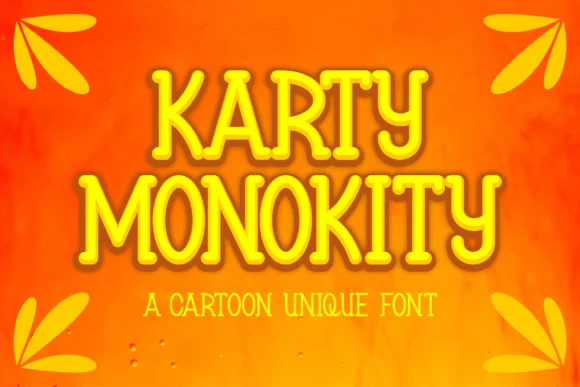
Browse fonts by theme
Curated collections →Saw a font in a picture? Identify any font from an image with our free Font Finder.
More Slab Serif Fonts
Browse all →







What pairs well with Bleoblue Font?
Bleoblue Font is a slab serif font that shines as a display or heading face. Pair it with a clean sans-serif or serif font for body text — the contrast creates a clear hierarchy while the two styles stay balanced and easy to read.




Bleoblue Font
Reviewed by the FontBoxDL team · Updated September 2026