 Firefox
 1 / 3
1 / 3Loading font…
About Bitter Font
People read and interact with text on screens more and more each day. What happens on screen ends up being more important than what comes out of the printer. With the accelerating popularity of electronic books, type designers are working hard to seek out the ideal designs for reading on screen. Motivated by her love for the pixel, Sol Matas designed Bitter. A "contemporary" slab serif typeface for text, it is specially designed for comfortably reading on any computer or device. The robust design started from the austerity of the pixel grid, based on rational rather than emotional principles. It combines the large x-heights and legibility of the humanistic tradition with subtle characteristics in the characters that inject a certain rhythm to flowing texts. Bitter has little variation in stroke weight and the Regular style is thicker than a usual ‘Regular’ style for print design. This generates an intense color in paragraphs, accentuated by the serifs that are as thick as strokes with square terminals. Each glyph is carefully designed with an excellent curve quality added to the first stage of the design, that was entirely made in a pixel grid. The typeface is balanced and manually spaced to use very few kerning pairs. To contribute, see github.com/solmatas/BitterPro .
Style & Use Cases
- Overall Style
- Ultra-light, Classic, Refined, Serif
- Use Case
- Editorial, Print
- Ideal For
- book covers, long-form text, and traditional branding
- Pairs With
- a clean sans-serif for captions
Bitter Specifications
| Font Family | Bitter Thin |
| Style | Regular |
| Full Name | Bitter Thin |
| Version | 3.021 |
| Weight | 100 (Thin) |
| Glyph Count | 1542 glyphs |
| PostScript Name | Bitter-Thin |
| Designer | Sol Matas, and Bitter project Authors |
| Format | TTF (TrueType) |
| File Size | 320.9 KB |
OpenType Features
Bitter ships with 17 OpenType features you can switch on in apps that support them (Illustrator, InDesign, Affinity, Figma, CSS font-feature-settings).
- Small capitals from capitals
- Contextual alternates
- Case-sensitive forms
- Discretionary ligatures
- Fractions
- Standard ligatures
- Lining figures
- Old-style figures
- Ordinals
- Proportional figures
- Scientific inferiors
- Small capitals
- Subscripts
- Superscripts
- Tabular figures
- Slashed zero
- Stylistic sets (1)
- Variable font · axes: wght
Languages Supported
Bitter supports 427 languages.
How to Install Bitter Font
Step-by-step instructions for every platform
- 1Download the Bitter font file (.ttf or .otf).
- 2Locate the downloaded file in your Downloads folder.
- 3Right-click the font file.
- 4Select "Install" to install for the current user, or "Install for all users" to make it available system-wide.
- 5Bitter is now available in Word, Photoshop, Illustrator, and all other apps.
More by Sol Matas
View all →

Browse fonts by theme
Curated collections →Saw a font in a picture? Identify any font from an image with our free Font Finder.
More Serif Fonts
Browse all →


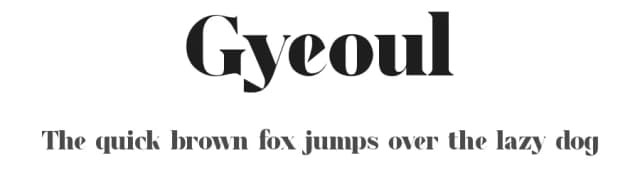
What pairs well with Bitter Font?
Bitter Font is a versatile serif font that works for both headings and body text. Pair it with a contrasting sans-serif or slab serif font to add visual interest and a clear distinction between titles and body copy.



Premium Serif Fonts
★ PremiumWant something with more weights, glyphs, and commercial polish? These premium serif fonts are worth a look.


Bitter Font
by Sol Matas
Reviewed by the FontBoxDL team · Updated July 2026