 Firefox
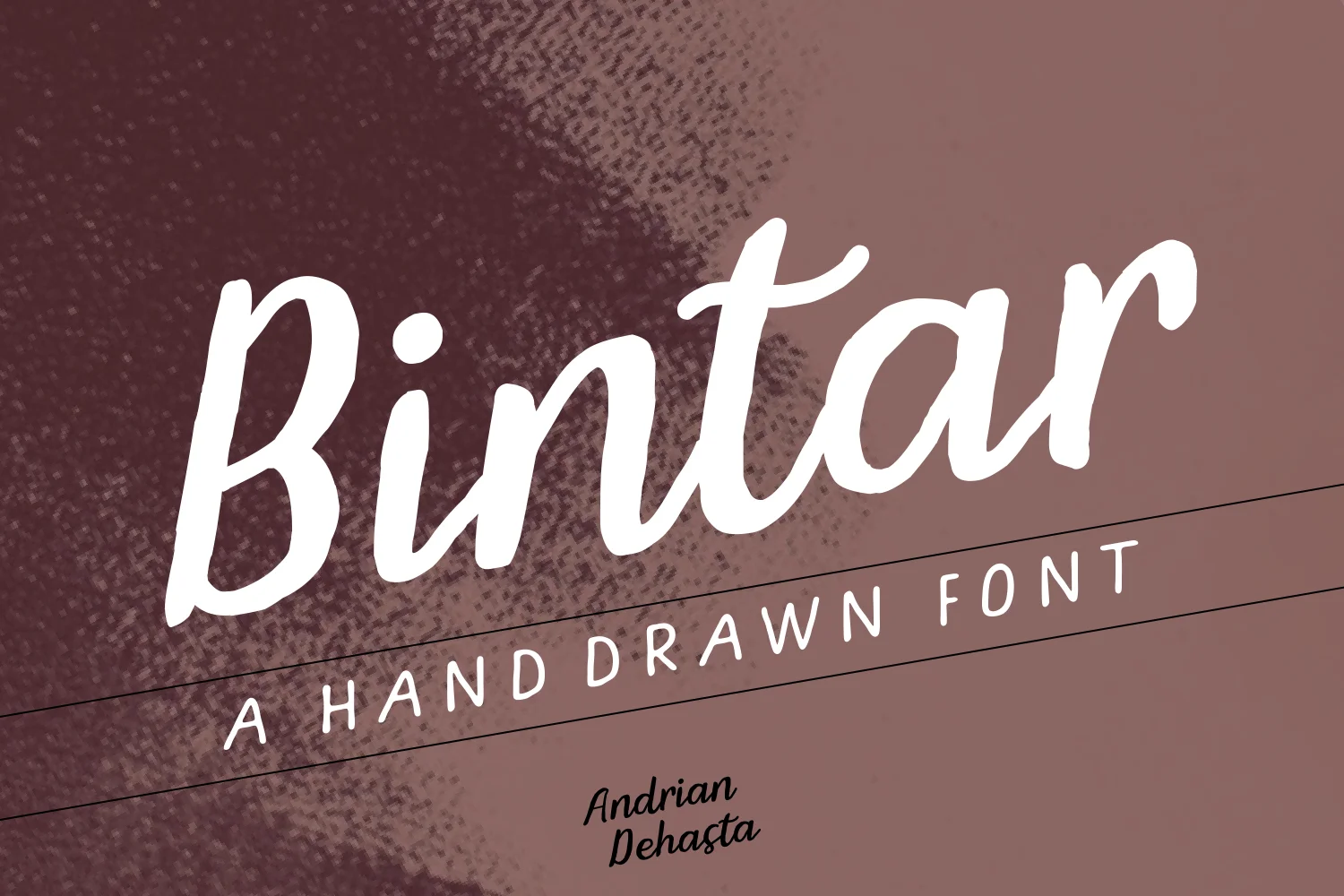
About Bintar Font
Bintar by Andrian Dehasta is a brush script that combines organic character with impressive readability across both digital and print applications. The typeface excels at bridging the gap between handcrafted warmth and professional polish, making it ideal for projects where personality and legibility must work in harmony. Available in both standard and italic versions, Bintar gives designers the flexibility to create visual emphasis and hierarchy without needing to introduce secondary typefaces into their compositions.
From wedding invitation suites to artisanal food packaging, Bintar brings thoughtful handwriting sensibility to upscale branding applications. The script works beautifully for specialty bakery menus, DIY event signage, and Etsy shop branding where the connection between designer and customer feels genuinely personal and authentic. The italic option is particularly effective for creating emphasis, adding dynamic movement, or highlighting key text within layouts. Bintar's careful balance of flourish and function ensures reliable legibility even in smaller sizes, making it trustworthy for card copy, packaging text, and detailed branding work where readability cannot be compromised by decorative flourishes.
Whether you're designing a luxury brand identity, creating handwritten-style materials for special occasions, or developing distinctive product packaging and labels, Bintar offers the refined personality and character your projects deserve. Get started with Bintar on Creative Fabrica.
Style & Use Cases
- Overall Style
- Elegant, Flowing, Bintar
- Use Case
- Invitations, Branding
- Ideal For
- wedding stationery, greeting cards, and signatures
- Pairs With
- a simple uppercase sans
How to Install Bintar Font Font
Step-by-step instructions for every platform
- 1Download the Bintar Font font file (.ttf or .otf).
- 2Locate the downloaded file in your Downloads folder.
- 3Right-click the font file.
- 4Select "Install" to install for the current user, or "Install for all users" to make it available system-wide.
- 5Bintar Font is now available in Word, Photoshop, Illustrator, and all other apps.
More by Andrian Dehasta
View all →
Browse fonts by theme
Curated collections →Saw a font in a picture? Identify any font from an image with our free Font Finder.
More Script Handwritten Fonts
Browse all →







What pairs well with Bintar Font?
Bintar Font is a script font that shines as a display or heading face. Pair it with a clean sans-serif or serif font for body text — the contrast creates a clear hierarchy while the two styles stay balanced and easy to read.




Bintar Font
Reviewed by the FontBoxDL team · Updated May 2026