 Firefox
 1 / 5
1 / 5About Azai Font
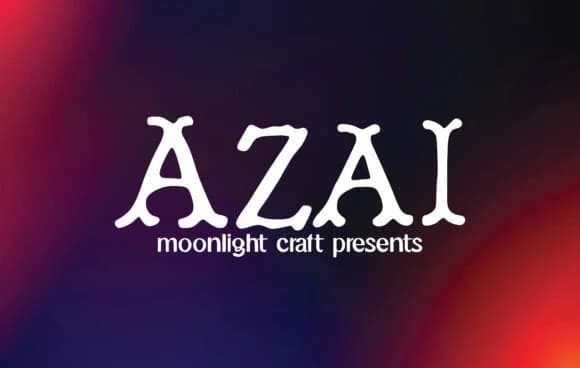
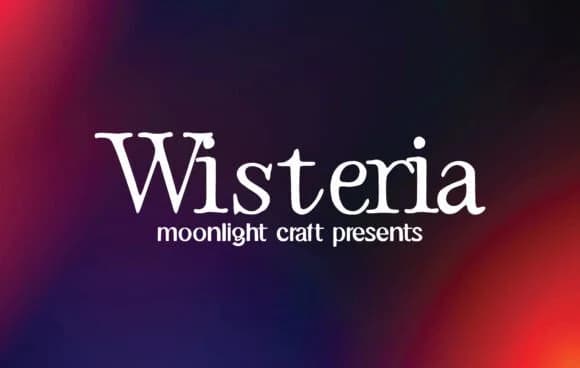
Azai, created by moonlight craft, is a slab-serif that commands real attention without relying on unnecessary tricks. The sturdy letterforms carry just enough retro character to feel approachable without veering into pure nostalgia, while maintaining the clean lines that define good slab serif design. That careful balance makes it work across diverse contexts where other bold typefaces might feel too loud or too stiff.
The font performs equally well as a display headline and at text sizes for body copy, making it genuinely versatile in ways many display fonts aren't. You'll find it especially useful for wedding invitation suites, where the boldness can anchor primary text or work in contrast with lighter typefaces for secondary information. It's a strong pick for luxury skincare packaging, vintage music posters, and custom Etsy product labels where you need something that commands attention without requiring extra ornamentation. The letterforms carry enough weight and inherent presence to stand alone, which means less design work on your end.
This font suits designers building brand identity systems, editorial layouts, and packaging work of all styles. The personality shows through immediately in any context. Get it on Creative Fabrica and have it ready for your next design project.
Style & Use Cases
- Overall Style
- Sturdy, Confident, Azai
- Use Case
- Headlines, Merch
- Ideal For
- vintage posters, logos, and product packaging
- Pairs With
- a light sans-serif
How to Install Azai Font
Step-by-step instructions for every platform
- 1Download the Azai font file (.ttf or .otf).
- 2Locate the downloaded file in your Downloads folder.
- 3Right-click the font file.
- 4Select "Install" to install for the current user, or "Install for all users" to make it available system-wide.
- 5Azai is now available in Word, Photoshop, Illustrator, and all other apps.
More by moonlight craft
View all →
Browse fonts by theme
Curated collections →Saw a font in a picture? Identify any font from an image with our free Font Finder.
More Slab Serif Fonts
Browse all →







What pairs well with Azai Font?
Azai Font is a slab serif font that shines as a display or heading face. Pair it with a clean sans-serif or serif font for body text — the contrast creates a clear hierarchy while the two styles stay balanced and easy to read.



Azai Font
Reviewed by the FontBoxDL team · Updated September 2026