 Firefox
 1 / 5
1 / 5About Aubrey Font
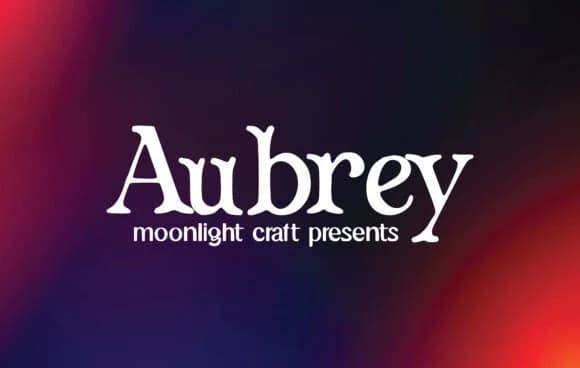
Picture yourself laying out a vintage concert poster or designing packaging for artisanal goods. Aubrey, from moonlight craft, is a slab-serif with enough personality to work as a strong headline and surprisingly readable in body text. The blocky, geometric structure gives it real visual presence without the corporate stiffness that kills most slab serifs.
This is the typeface you'd reach for when creating event suite stationery, product labels for boutique skincare brands, independent music packaging, hand-bound journal covers, and custom shop signage. Each application gets a different angle from the same font: it can whisper elegantly or shout boldly depending on how you set it and what color you pair it with. The letterforms hold their clarity even when scaled large for posters, and they maintain readability when set smaller as supporting text or body copy in magazine-style layouts.
Aubrey works best in projects where personality matters as much as legibility. It's a reliable choice for any design that needs real character without sacrificing function or clarity. The font stays legible across sizes, which is exactly what you want from a display face that can pull double duty. Find it on Creative Fabrica and add it to your collection.
Style & Use Cases
- Overall Style
- Sturdy, Confident, Aubrey
- Use Case
- Headlines, Merch
- Ideal For
- vintage posters, logos, and product packaging
- Pairs With
- a light sans-serif
How to Install Aubrey Font
Step-by-step instructions for every platform
- 1Download the Aubrey font file (.ttf or .otf).
- 2Locate the downloaded file in your Downloads folder.
- 3Right-click the font file.
- 4Select "Install" to install for the current user, or "Install for all users" to make it available system-wide.
- 5Aubrey is now available in Word, Photoshop, Illustrator, and all other apps.
More by moonlight craft
View all →

Browse fonts by theme
Curated collections →Saw a font in a picture? Identify any font from an image with our free Font Finder.
More Slab Serif Fonts
Browse all →







What pairs well with Aubrey Font?
Aubrey Font is a slab serif font that shines as a display or heading face. Pair it with a clean sans-serif or serif font for body text — the contrast creates a clear hierarchy while the two styles stay balanced and easy to read.



Aubrey Font
Reviewed by the FontBoxDL team · Updated September 2026