
 1 / 8
1 / 8About Arrow Font
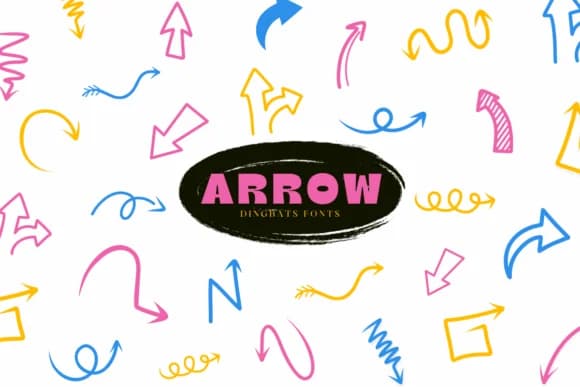
What distinguishes this dingbats font is its command of geometric arrows and abstract shapes that function as visual punctuation. Arrow, designed by Suphitchaya, combines clean curves with deliberate angles that read as intentional composition rather than generic filler. The symbol collection brings graphic depth to projects where directional cues and icons carry as much design weight as the text itself.
The font comes in both OTF and TTF formats, works across Procreate and the full Affinity suite (Designer, Photo, and Publisher), and includes outline variants for designers who want layered, coloring-book effects. Reach for Arrow when building invitation suites that need directional flourishes, designing Etsy product photography where custom labels add visual identity, crafting boutique logos with an illustrative angle, or creating DIY signage where arrows naturally guide the viewer's eye. Hand-lettering and digital illustration projects equally benefit from its vector-ready construction.
Best suited for designers and creatives working on custom branding, decorative graphics, and print pieces that demand more character than standard symbol sets. Grab it from Creative Fabrica to expand your type library with a fresh collection of purposeful arrows and shapes.
Style & Use Cases
- Overall Style
- Iconographic, Fonts
- Use Case
- Icons, Accents
- Ideal For
- ornaments, bullets, and decorative flourishes
- Pairs With
- any text font
How to Install Arrow Font
Step-by-step instructions for every platform
- 1Download the Arrow font file (.ttf or .otf).
- 2Locate the downloaded file in your Downloads folder.
- 3Right-click the font file.
- 4Select "Install" to install for the current user, or "Install for all users" to make it available system-wide.
- 5Arrow is now available in Word, Photoshop, Illustrator, and all other apps.
More by Suphitchaya
View all →
Browse fonts by theme
Curated collections →Saw a font in a picture? Identify any font from an image with our free Font Finder.
More Dingbats Fonts
Browse all →







What pairs well with Arrow Font?
Arrow Font is a versatile dingbats font that works for both headings and body text. Pair it with a contrasting sans-serif or serif font to add visual interest and a clear distinction between titles and body copy.



Arrow Font
by Suphitchaya
Reviewed by the FontBoxDL team · Updated July 2026