 Firefox
 1 / 4
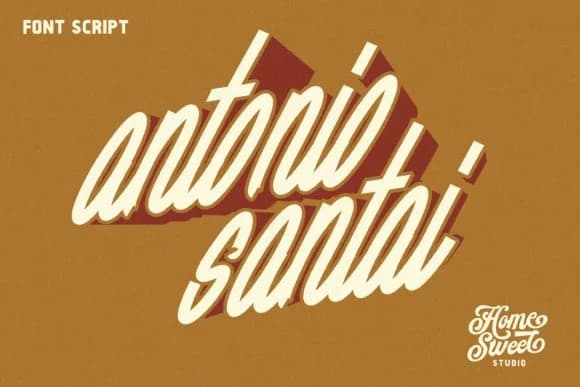
1 / 4About Antonio Santai Font
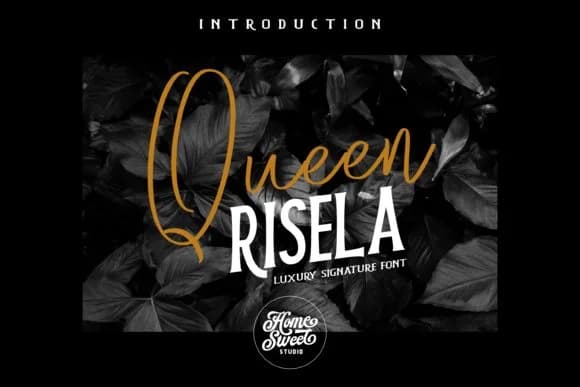
Picture yourself designing a vintage wedding invitation suite or sketching bold lettering for a retro record cover, where each letter needs genuine weight and character that holds up at any size. Antonio Santai, designed by Home Sweet, is a handwritten script that brings authentic retro energy without leaning into the theatrical or overdone. It's bold where it counts, with the kind of hand-drawn personality that shines on luxury greeting cards, boutique product labels, custom brand lettering, and decorative event signage.
The font works because it sidesteps the sugary sweetness that derails most vintage scripts. Instead, it carries real intention: the letters feel drawn by someone with a clear vision and purpose. You'll see it perform beautifully on craft packaging and display posters where the presence of a human hand matters more than mechanical precision. The strokes have genuine weight and presence, giving you flexibility across different sizes, from headline work down to medium-sized text that still holds personality and readability.
This script is built for projects that need authority without apology. Brand lettering, invitation suites, album artwork, event signage: these are exactly where Antonio Santai delivers the weight and character they demand. Find it on Creative Fabrica and start putting it to work.
Style & Use Cases
- Overall Style
- Elegant, Flowing, Antoniosantai
- Use Case
- Invitations, Branding
- Ideal For
- wedding stationery, greeting cards, and signatures
- Pairs With
- a simple uppercase sans
How to Install Antonio Santai Font Font
Step-by-step instructions for every platform
- 1Download the Antonio Santai Font font file (.ttf or .otf).
- 2Locate the downloaded file in your Downloads folder.
- 3Right-click the font file.
- 4Select "Install" to install for the current user, or "Install for all users" to make it available system-wide.
- 5Antonio Santai Font is now available in Word, Photoshop, Illustrator, and all other apps.
Browse fonts by theme
Curated collections →Saw a font in a picture? Identify any font from an image with our free Font Finder.
More Script Handwritten Fonts
Browse all →







What pairs well with Antonio Santai Font?
Antonio Santai Font is a script font that shines as a display or heading face. Pair it with a clean sans-serif or serif font for body text — the contrast creates a clear hierarchy while the two styles stay balanced and easy to read.



Antonio Santai Font
by Home Sweet
Reviewed by the FontBoxDL team · Updated August 2026