 Firefox
 1 / 5
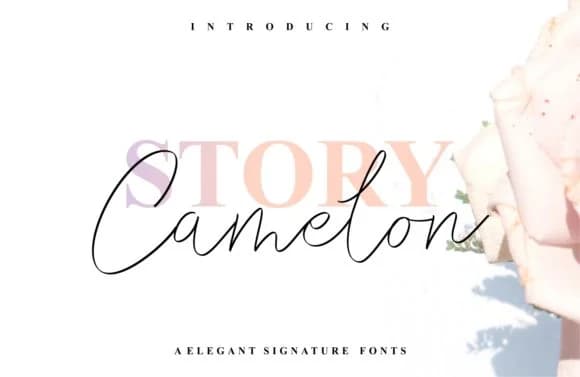
1 / 5About Story Camelon Font
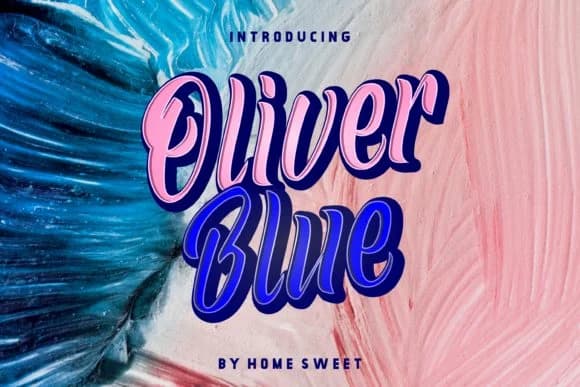
This typeface brings a warm, conversational quality to any design work. Story Camelon, created by Home Sweet, is a flowing script that balances refined elegance with genuine approachability. Originally designed with fashion branding in mind, it shines across luxury product packaging, high-end wedding invitation suites, boutique restaurant menus, and editorial headers in lifestyle magazines. The handwritten rhythm feels authentic without sacrificing legibility, making it a strong choice for designers creating upscale stationery sets or Instagram branding for independent jewelry and skincare businesses.
What distinguishes Story Camelon is its smooth letter connections and comprehensive character set, which capture genuine handwritten quality without the awkward wobble. Every stroke flows naturally into the next, giving headlines and display copy real movement and personality. The font performs well even at moderate sizes, though it truly commands attention when used as a display element in larger contexts where its flowing letterforms can stretch across the full width of a page or layout.
Pair it with a clean, lightweight sans-serif for supporting body text, letting the script remain your visual anchor and primary focus. The contrast between flowing curves and straight letterforms creates breathing room and maintains professional polish throughout the design. Grab Story Camelon on Creative Fabrica and add this distinctive handwritten voice to your next project.
Style & Use Cases
- Overall Style
- Elegant, Flowing, Story Camelon
- Use Case
- Invitations, Branding
- Ideal For
- wedding stationery, greeting cards, and signatures
- Pairs With
- a simple uppercase sans
How to Install Story Camelon Font Font
Step-by-step instructions for every platform
- 1Download the Story Camelon Font font file (.ttf or .otf).
- 2Locate the downloaded file in your Downloads folder.
- 3Right-click the font file.
- 4Select "Install" to install for the current user, or "Install for all users" to make it available system-wide.
- 5Story Camelon Font is now available in Word, Photoshop, Illustrator, and all other apps.
Browse fonts by theme
Curated collections →Saw a font in a picture? Identify any font from an image with our free Font Finder.
More Script Handwritten Fonts
Browse all →







What pairs well with Story Camelon Font?
Story Camelon Font is a script font that shines as a display or heading face. Pair it with a clean sans-serif or serif font for body text — the contrast creates a clear hierarchy while the two styles stay balanced and easy to read.



Story Camelon Font
by Home Sweet
Reviewed by the FontBoxDL team · Updated June 2026