
 1 / 8
1 / 8About Anduba Font
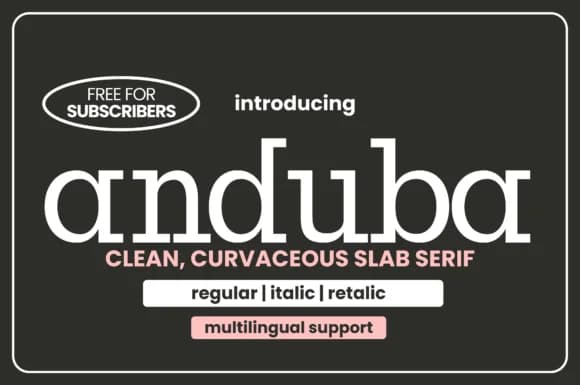
Picture yourself designing a luxury skincare brand that draws from 70s visual language while staying firmly contemporary. Anduba, created by Minimalistartstudio, is a slab serif built on thick, confident letterforms and generous spacing that make the typeface feel both solid and genuinely refined. This font arrives in three distinct styles (Regular, Italic, and Retalic), giving you plenty of room to layer hierarchy and shift emphasis throughout a project without reaching for another typeface family.
Anduba excels on high-end cosmetics packaging, where the substantial serifs convey quality and craftsmanship immediately. Wedding invitation suites benefit from its character, with the elegant letterforms keeping formality in check while the vintage-modern feeling adds real personality and warmth. Luxury magazine covers and editorial spreads read beautifully in it, as do artisan product labels, fashion lookbooks, and gallery posters. The typeface signals thoughtfulness and intention across all these applications. At display sizes, the thick serifs remain clear and confident, never overcrowding or becoming awkward, so headlines land with real impact.
Pick up Anduba when you need a typeface that feels both established and current, one that stays timeless. Find it on Creative Fabrica and add it to your collection.
Style & Use Cases
- Overall Style
- Sturdy, Confident, 70s
- Use Case
- Headlines, Merch
- Ideal For
- vintage posters, logos, and product packaging
- Pairs With
- a light sans-serif
How to Install Anduba Font
Step-by-step instructions for every platform
- 1Download the Anduba font file (.ttf or .otf).
- 2Locate the downloaded file in your Downloads folder.
- 3Right-click the font file.
- 4Select "Install" to install for the current user, or "Install for all users" to make it available system-wide.
- 5Anduba is now available in Word, Photoshop, Illustrator, and all other apps.
More by Minimalistartstudio
View all →



Browse fonts by theme
Curated collections →Saw a font in a picture? Identify any font from an image with our free Font Finder.
More Slab Serif Fonts
Browse all →







What pairs well with Anduba Font?
Anduba Font is a slab serif font that shines as a display or heading face. Pair it with a clean sans-serif or serif font for body text — the contrast creates a clear hierarchy while the two styles stay balanced and easy to read.



Anduba Font
Reviewed by the FontBoxDL team · Updated August 2026