 Firefox
 1 / 7
1 / 7About Zero Font
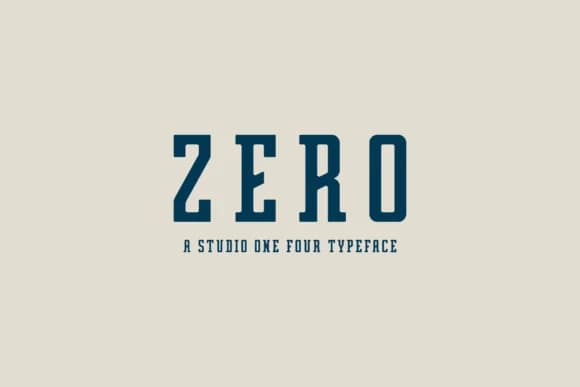
Zero by Studio One Four is a sturdy slab serif that bridges vintage charm with clean, modern sensibility. Designed with value in mind, this typeface delivers the visual weight and character of premium fonts without the premium price tag, making it accessible for designers working across budgets and project scales.
The clean geometric letterforms work beautifully for rustic wedding invitations, outdoor adventure branding, retro food and product packaging, and minimalist contemporary layouts. Unlike ornamental serifs that demand large headlines, Zero's straightforward geometry holds up equally well at small sizes or when blown up to display scales. You'll find it equally at home in a vintage diner identity, contemporary wellness brand, or craft-focused retail space. The directness of the design also pairs nicely with nature-inspired projects and outdoor-focused branding, where legibility and character matter equally.
Its no-nonsense construction pairs well with custom illustrations, hand-drawn elements, or photography without competing for visual attention. The clean lines give you breathing room to layer in other design elements while keeping the overall composition grounded and intentional. It works for brand systems and single projects alike, providing flexibility across different formats, media, and contexts. Grab Zero on Creative Fabrica and start using it on your next project.
Style & Use Cases
- Overall Style
- Sturdy, Confident, Slab Serif
- Use Case
- Headlines, Merch
- Ideal For
- vintage posters, logos, and product packaging
- Pairs With
- a light sans-serif
How to Install Zero Font
Step-by-step instructions for every platform
- 1Download the Zero font file (.ttf or .otf).
- 2Locate the downloaded file in your Downloads folder.
- 3Right-click the font file.
- 4Select "Install" to install for the current user, or "Install for all users" to make it available system-wide.
- 5Zero is now available in Word, Photoshop, Illustrator, and all other apps.
More by Studio One Four
View all →

Browse fonts by theme
Curated collections →Saw a font in a picture? Identify any font from an image with our free Font Finder.
More Slab Serif Fonts
Browse all →







What pairs well with Zero Font?
Zero Font is a slab serif font that shines as a display or heading face. Pair it with a clean sans-serif or serif font for body text — the contrast creates a clear hierarchy while the two styles stay balanced and easy to read.



Zero Font
Reviewed by the FontBoxDL team · Updated September 2026