 Firefox
 1 / 8
1 / 8About Writing Number Font by Inermedia STUDIO Font
Imagine pulling together a stack of holiday cards that actually feel personal and custom-made, with lettering that looks hand-drawn but prints crisp and clean. That's what you get with Writing Number Font, designed by Inermedia STUDIO. The typeface brings handwritten warmth to festive projects without the wobbliness of actual handwriting, striking that balance between craft and polish that makes seasonal work feel special and considered.
The font excels in specific applications where personality matters. Think Christmas gift box labels, holiday greeting card suites, New Year's Eve party invitations, and handmade ornament designs. You can also use it for custom gift tags, festive product packaging, or holiday announcement graphics. Whether you're layering it over patterns for premium packaging or sizing it large for signage, the forms hold up. The font is PUA encoded, giving you access to all the decorative glyphs and ligatures built in, so you're not doing extra work to unlock the details.
The generous letter spacing and consistent weight make it work comfortably at both display and headline sizes. This flexibility means you can use the same font across a whole project without fighting its nature. If you want handwritten character without faking the style, Writing Number Font is ready on Creative Fabrica.
Style & Use Cases
- Overall Style
- Clean, Modern, 4th Of July
- Use Case
- Body Text, UI
- Ideal For
- branding, interfaces, and modern layouts
- Pairs With
- a contrasting serif for headings
How to Install Writing Number Font by Inermedia STUDIO Font
Step-by-step instructions for every platform
- 1Download the Writing Number Font by Inermedia STUDIO font file (.ttf or .otf).
- 2Locate the downloaded file in your Downloads folder.
- 3Right-click the font file.
- 4Select "Install" to install for the current user, or "Install for all users" to make it available system-wide.
- 5Writing Number Font by Inermedia STUDIO is now available in Word, Photoshop, Illustrator, and all other apps.
More by Inermedia STUDIO
View all →



Browse fonts by theme
Curated collections →Saw a font in a picture? Identify any font from an image with our free Font Finder.
More Sans Serif Fonts
Browse all →




What pairs well with Writing Number Font by Inermedia STUDIO Font?
Writing Number Font by Inermedia STUDIO Font is a versatile sans-serif font that works for both headings and body text. Pair it with a contrasting serif or slab serif font to add visual interest and a clear distinction between titles and body copy.


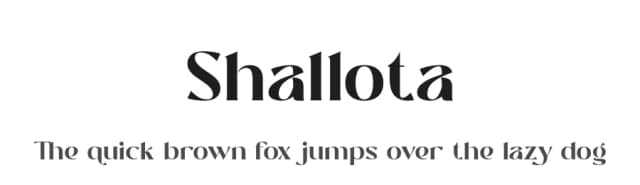

Writing Number Font by Inermedia STUDIO Font
Reviewed by the FontBoxDL team · Updated October 2026
One-time purchase