 Firefox
 1 / 4
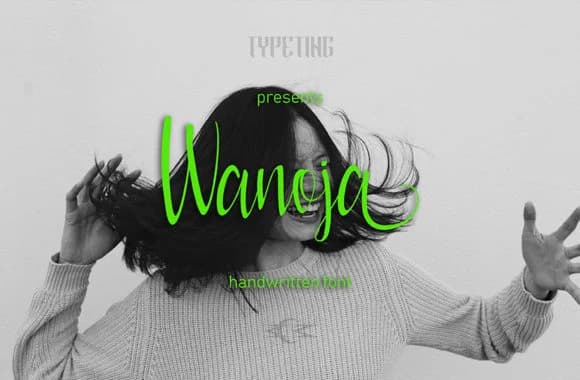
1 / 4About Wanoja Font
Wanoja by Typeting Studio is a handwritten script brimming with genuine character and warmth. It captures the personal touch you need when designs should feel considered and human rather than corporate or sterile. The letterforms move with a natural confidence that signals real care in every detail, making it feel intentional without being showy.
This script excels for wedding invitation suites where personal connection matters most, cosmetic and skincare packaging that needs both refinement and authentic humanity, artisanal food labels for small-batch jams or handmade candles, and handcrafted signage that gains real soul from its organic imperfections. The writing style feels deliberately considered without slipping into preciousness. Letters connect smoothly through the alphabet, creating a flowing movement that works equally well as headline treatment or running through longer passages. The result reads as conversational and approachable, putting readers at ease rather than overwhelming them with technical precision. There's restraint in the design, which is what makes it work across different contexts and settings so effectively.
These letterforms bring genuine substance to any project demanding the handcrafted feel rather than a mass-produced template. The font performs reliably at different sizes. Grab it from Creative Fabrica and add that carefully personal quality to your next design work.
Style & Use Cases
- Overall Style
- Elegant, Flowing, Wanoja
- Use Case
- Invitations, Branding
- Ideal For
- wedding stationery, greeting cards, and signatures
- Pairs With
- a simple uppercase sans
How to Install Wanoja Font Font
Step-by-step instructions for every platform
- 1Download the Wanoja Font font file (.ttf or .otf).
- 2Locate the downloaded file in your Downloads folder.
- 3Right-click the font file.
- 4Select "Install" to install for the current user, or "Install for all users" to make it available system-wide.
- 5Wanoja Font is now available in Word, Photoshop, Illustrator, and all other apps.
More by Typeting Studio
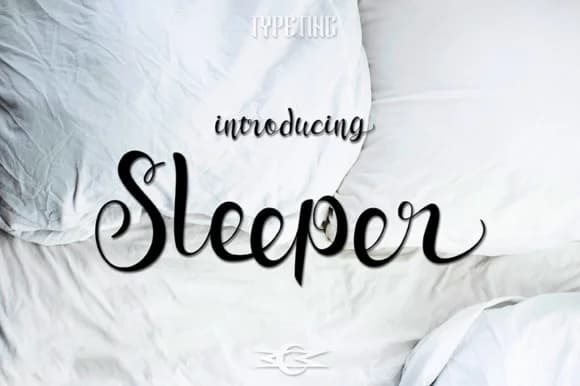
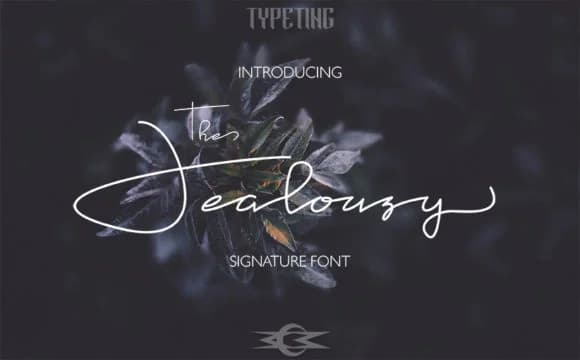
View all →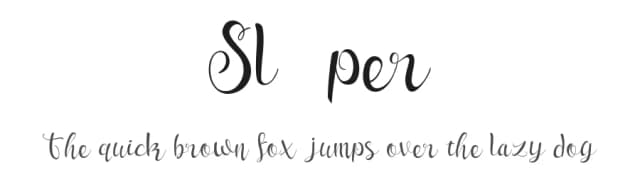
Browse fonts by theme
Curated collections →Saw a font in a picture? Identify any font from an image with our free Font Finder.
More Script Handwritten Fonts
Browse all →







What pairs well with Wanoja Font?
Wanoja Font is a script font that shines as a display or heading face. Pair it with a clean sans-serif or serif font for body text — the contrast creates a clear hierarchy while the two styles stay balanced and easy to read.



Wanoja Font
Reviewed by the FontBoxDL team · Updated June 2026