 Firefox
 1 / 7
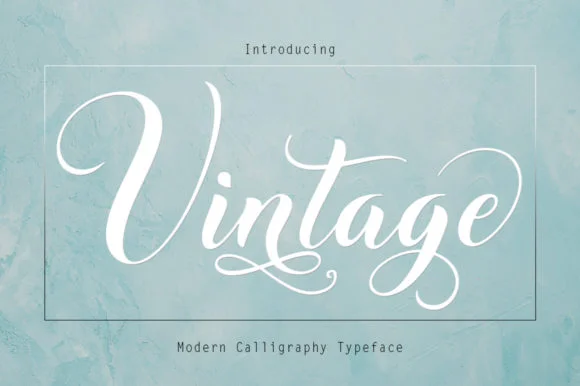
1 / 7About Vintage Font
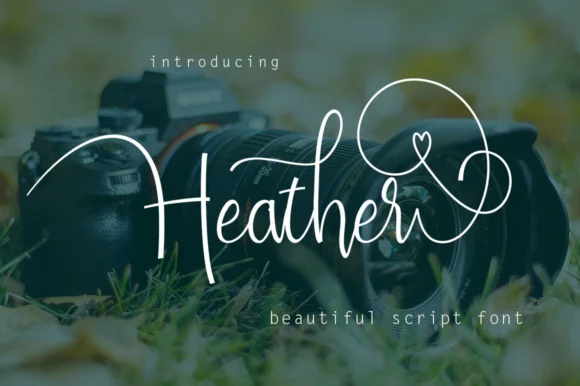
The flowing letterforms of Vintage, a modern calligraphy script from Rudistudio, strike that rare balance between refined elegance and energetic playfulness. Its swashes curve and flourish with genuine warmth, adding character to every letter while maintaining the readable flow of genuine handwriting. Rather than the rigid precision of many script fonts, Vintage feels like handwritten text from someone who took their time and cared about beauty.
This font is especially well-suited to wedding invitation suites, where it brings intimacy and romance to formal announcements. Save-the-date cards gain personality when set in Vintage's flowing letterforms, and bridal shower programs benefit from the script's genuine handwritten feel. Photographers often layer this font over images as text overlays for engagement photos and intimate announcements. Event signage, personalized thank-you cards, and luxury brand packaging all come alive with the gentle movement these swashes provide.
Vintage is built for anyone creating work that needs to feel personal and celebratory. From intimate event materials and luxury product labels to photo-rich social media content, these letterforms bring warmth and character to every application. This font is available on Creative Fabrica whenever you're ready to add it to your collection.
Style & Use Cases
- Overall Style
- Elegant, Flowing, Beautiful
- Use Case
- Invitations, Branding
- Ideal For
- wedding stationery, greeting cards, and signatures
- Pairs With
- a simple uppercase sans
How to Install Vintage Font Font
Step-by-step instructions for every platform
- 1Download the Vintage Font font file (.ttf or .otf).
- 2Locate the downloaded file in your Downloads folder.
- 3Right-click the font file.
- 4Select "Install" to install for the current user, or "Install for all users" to make it available system-wide.
- 5Vintage Font is now available in Word, Photoshop, Illustrator, and all other apps.
More by Rudistudio
View all →
Browse fonts by theme
Curated collections →Saw a font in a picture? Identify any font from an image with our free Font Finder.
More Script Handwritten Fonts
Browse all →







What pairs well with Vintage Font?
Vintage Font is a script font that shines as a display or heading face. Pair it with a clean sans-serif or serif font for body text — the contrast creates a clear hierarchy while the two styles stay balanced and easy to read.




Vintage Font
by Rudistudio
Reviewed by the FontBoxDL team · Updated August 2026