 Firefox
 1 / 6
1 / 6About Tyndust Font
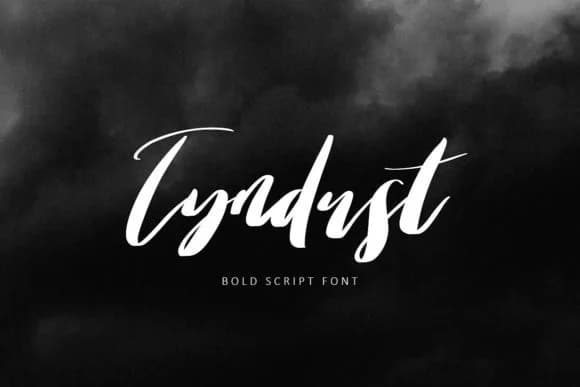
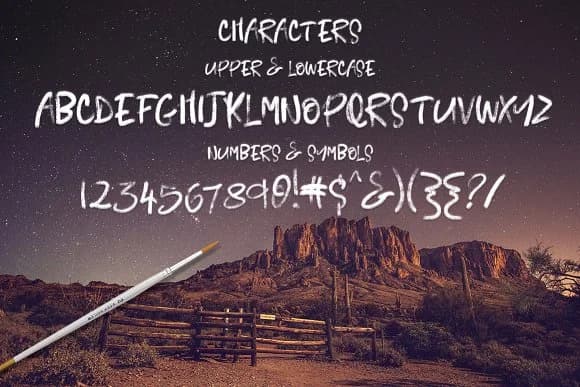
Tyndust by Creativeqube Design is a hand-painted script font with a flowing, organic character that brings immediate warmth to any project. The three included variations (standard, bold, and upright) give you flexibility to mix weights and styles within a single design, layering visual interest without requiring additional typefaces. You can design cohesive wedding invitation suites, create playful hand-drawn vibes for personalized greeting cards, develop custom branding for boutique beauty or lifestyle labels, or produce striking handwritten-look signage for craft shops and small retail spaces. This hand-painted quality feels distinctly human and personal in ways clean, geometric typefaces simply cannot.
Because all three versions work together as a cohesive family, you can use the lighter weight for delicate details and fine print, swap to bold for headlines that need punch, and lean on the upright version for a slightly different mood or accent lines. This versatility means fewer fonts to juggle in your toolkit while keeping your work visually connected. Small-batch product packaging, Etsy shop graphics, custom labels for handmade goods, and brand identity design all benefit from having multiple styles in one download. Grab Tyndust from Creative Fabrica and start exploring the range of effects you can achieve across these three weights.
Style & Use Cases
- Overall Style
- Elegant, Flowing, Tyndust
- Use Case
- Invitations, Branding
- Ideal For
- wedding stationery, greeting cards, and signatures
- Pairs With
- a simple uppercase sans
How to Install Tyndust Font Font
Step-by-step instructions for every platform
- 1Download the Tyndust Font font file (.ttf or .otf).
- 2Locate the downloaded file in your Downloads folder.
- 3Right-click the font file.
- 4Select "Install" to install for the current user, or "Install for all users" to make it available system-wide.
- 5Tyndust Font is now available in Word, Photoshop, Illustrator, and all other apps.
More by Creativeqube Design
View all →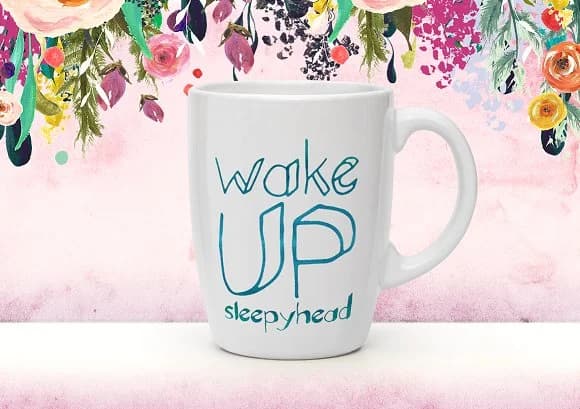
Browse fonts by theme
Curated collections →Saw a font in a picture? Identify any font from an image with our free Font Finder.
More Script Handwritten Fonts
Browse all →







What pairs well with Tyndust Font?
Tyndust Font is a script font that shines as a display or heading face. Pair it with a clean sans-serif or serif font for body text — the contrast creates a clear hierarchy while the two styles stay balanced and easy to read.



Tyndust Font
Reviewed by the FontBoxDL team · Updated June 2026