 Firefox
 1 / 3
1 / 3Loading font…
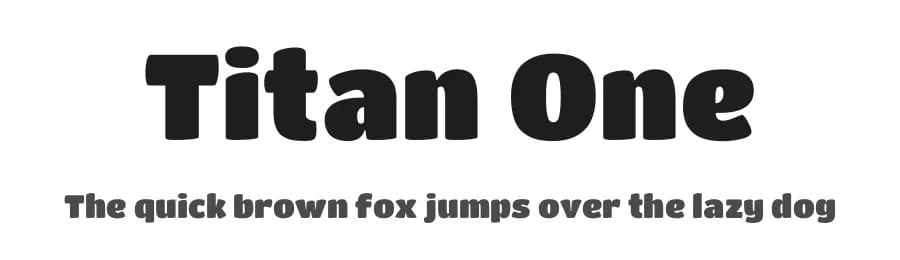
About Titan One Font
Titan One is a regular sans-serif typeface designed by Rodrigo Fuenzalida. With 422 glyphs supporting over 272 Latin-based languages, this no-nonsense design brings clear, confident letterforms to any creative project. The font's geometric construction emphasizes legibility without sacrificing character, making it a dependable choice for designers and developers who prioritize readability above decorative ornament.
This typeface excels in web headers and blog titles where first impressions matter, app UI labels and mobile interface text where screen space demands efficiency, poster headlines and promotional graphics needing bold presence, and social media post captions where quick scanning is essential. The broad language support ensures multilingual projects maintain consistent typography across different regions and scripts. Its regular weight strikes a practical middle ground, neither too light nor too heavy, adapting readily to layouts where simplicity and directness strengthen communication rather than compete with content.
Pair Titan One with a serif typeface for body text to establish visual hierarchy in longer-form content, or deploy it standalone across digital environments where its straightforward construction guarantees reliable rendering across browsers and operating systems. Licensed as a free download from this page, the specific terms of use are detailed on the download page itself.
Style & Use Cases
- Overall Style
- Clean, Modern, Basic
- Use Case
- Body Text, UI
- Ideal For
- branding, interfaces, and modern layouts
- Pairs With
- a contrasting serif for headings
Similar Fonts
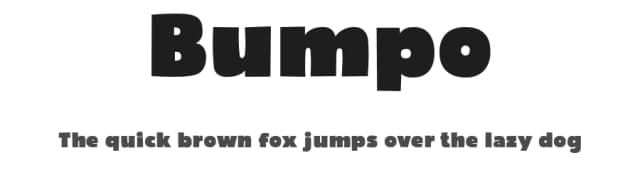
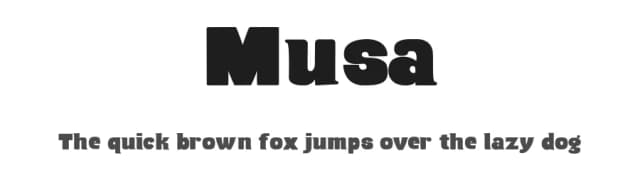
Fonts that look visually alike — matched by our Font Finder model.


Titan One Specifications
| Font Family | Titan One |
| Style | Regular |
| Full Name | Titan One |
| Version | 1.001 |
| Weight | 400 (Regular) |
| Glyph Count | 422 glyphs |
| PostScript Name | TitanOne |
| Designer | Rodrigo Fuenzalida |
| Format | TTF (TrueType) |
| File Size | 54.4 KB |
Languages Supported
Titan One supports 272 languages.
How to Install Titan One Font
Step-by-step instructions for every platform
- 1Download the Titan One font file (.ttf or .otf).
- 2Locate the downloaded file in your Downloads folder.
- 3Right-click the font file.
- 4Select "Install" to install for the current user, or "Install for all users" to make it available system-wide.
- 5Titan One is now available in Word, Photoshop, Illustrator, and all other apps.
More by Rodrigo Fuenzalida
View all →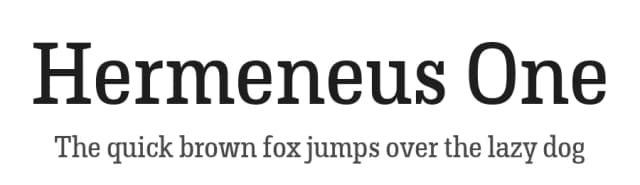
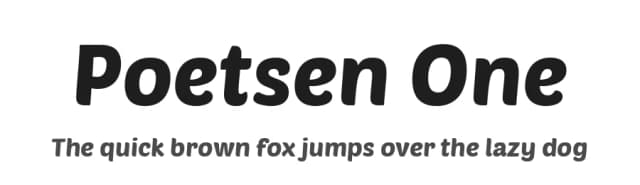


Browse fonts by theme
Curated collections →Saw a font in a picture? Identify any font from an image with our free Font Finder.
More Sans Serif Fonts
Browse all →
What pairs well with Titan One Font?
Titan One Font is a versatile sans-serif font that works for both headings and body text. Pair it with a contrasting serif or slab serif font to add visual interest and a clear distinction between titles and body copy.



Premium Sans Serif Fonts
★ PremiumWant something with more weights, glyphs, and commercial polish? These premium sans serif fonts are worth a look.


