 Firefox
 1 / 7
1 / 7About The Youther Font
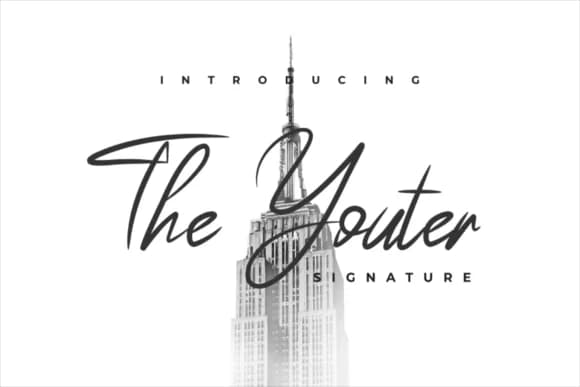
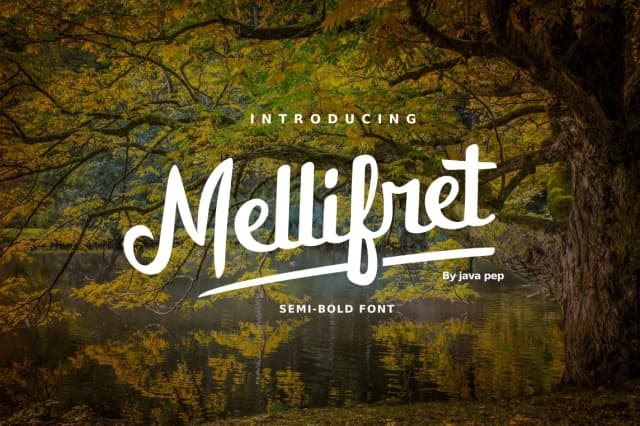
The Youther, designed by JavaPep, draws its appeal from flowing, organic letterforms that feel genuinely handwritten. Rather than mechanical precision, the naturally variable stroke widths create authentic character, as though someone with a practiced hand used a quality pen. That interplay of flow and rhythm is what separates a signature script that people actually reach for from one that feels hollow or forced.
This typeface excels for projects that demand personality and human warmth. Handmade cosmetics labels gain real credibility from its approachable elegance, making boutique skincare brands feel less corporate and more personal. Personalized greeting cards and DIY thank you notes take on genuine sincerity when set in Youther's curves. Artisan product branding works especially well, particularly for businesses where customers value that handcrafted, made-by-people quality. Small-batch food packaging and artisan business cards are equally strong choices for makers looking to communicate authenticity.
Signature scripts suit designers and small business owners building brands around genuine craftsmanship, not just trendy aesthetics. If you're ready to add that handwritten touch to your projects, The Youther deserves a spot in your font library. Find it on Creative Fabrica.
Style & Use Cases
- Overall Style
- Elegant, Flowing, The Youther
- Use Case
- Invitations, Branding
- Ideal For
- wedding stationery, greeting cards, and signatures
- Pairs With
- a simple uppercase sans
How to Install The Youther Font Font
Step-by-step instructions for every platform
- 1Download the The Youther Font font file (.ttf or .otf).
- 2Locate the downloaded file in your Downloads folder.
- 3Right-click the font file.
- 4Select "Install" to install for the current user, or "Install for all users" to make it available system-wide.
- 5The Youther Font is now available in Word, Photoshop, Illustrator, and all other apps.
Browse fonts by theme
Curated collections →Saw a font in a picture? Identify any font from an image with our free Font Finder.
More Script Handwritten Fonts
Browse all →







What pairs well with The Youther Font?
The Youther Font is a script font that shines as a display or heading face. Pair it with a clean sans-serif or serif font for body text — the contrast creates a clear hierarchy while the two styles stay balanced and easy to read.



The Youther Font
by JavaPep
Reviewed by the FontBoxDL team · Updated May 2026