 Firefox
 1 / 3
1 / 3Loading font…
About The Valentino Font
This " The Valentino " font is for PERSONAL USE LICENSE ONLY!!
NOT FOR COMMERCIAL LICENSE, NOT FOR CORPORATE LICENSE, NOT FOR EXTENDED, ETC.
----------------------------------------
If you make my font for-profit projects, you can buy it by contacting me by email:
[email protected]
(custom license)
For commercial use license, web license, e-pub license & app license, you can buy my fonts at the following link:
-
https://creativemarket.com/avenilettertype/290949674-Valentino-Handwritten-Script-Font
-
https://fontbundles.net/aveni-letter-type/5172837-valentino-handwritten-script-font
-
https://www.creativefabrica.com/product/valentino-2/ref/448115/
To get more products, visit this link :
-
https://creativemarket.com/avenilettertype?page=1
More...
-
https://fontbundles.net/aveni-letter-type
Bahasa Indonesia :
Font " The Valentino " yang Anda download disini hanya untuk LISENSI PENGGUNAAN PRIBADI!!
TIDAK UNTUK LISENSI KOMERSIAL (TIDAK UNTUK KEGIATAN KOMERSIAL APAPUN ITU),
TIDAK UNTUK LISENSI PERUSAHAAN, Dan Sebagainya. (Termasuk Penggunaan Dalam LABEL / THUMBNAIL YOUTUBE / LABEL MUSIC DILARANG KERAS).
Mohon dipahami dan mengerti apa itu LISENSI HAK PENGGUNAAN sebelum menggunakan font ini,
jika ketahuan menggunakan font ini tanpa izin pemilik, anda akan dikenakan denda $5,000 / se harga Corporate License
Jika anda membutuhkan Lisensi Komersial yang Diperpanjang, Lisensi Komersial untuk Perusahaan atau Lisensi Penyiaran seperti di YouTube, Sosial Media
atau bisa di sebut BROADCAST LICENSE bisa menghubungi saya di e-mail :
[email protected]
----------------------------------------
Here I give a little way to use swashes in the Valentino font:
Use multiple underscores __ to create swashes of different lengths.
Example: Valentino___
It should be noted that the SWASH in the VALENTINO font can be used when the standard ligature feature is active in your design software.
Style & Use Cases
- Overall Style
- Elegant, Flowing, Script
- Use Case
- Invitations, Branding
- Ideal For
- wedding stationery, greeting cards, and signatures
- Pairs With
- a simple uppercase sans
Similar Fonts
Fonts that look visually alike — matched by our Font Finder model.
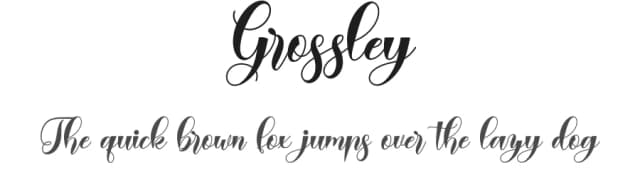

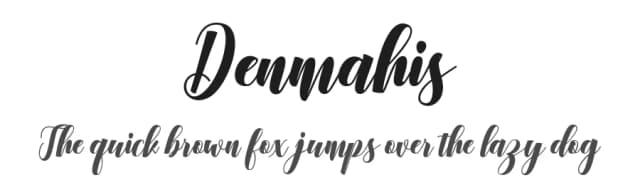


The Valentino Specifications
| Font Family | The Valentino |
| Style | Regular |
| Full Name | The Valentino |
| Version | 1.316 |
| Weight | 400 (Regular) |
| Glyph Count | 222 glyphs |
| PostScript Name | TheValentinoRegular |
| Designer | Aveni Yuanita |
| Format | OTF (CFF) |
| File Size | 337.9 KB |
OpenType Features
The Valentino ships with 1 OpenType feature you can switch on in apps that support them (Illustrator, InDesign, Affinity, Figma, CSS font-feature-settings).
- Standard ligatures
Languages Supported
The Valentino supports 215 languages.
How to Install The Valentino Font
Step-by-step instructions for every platform
- 1Download the The Valentino font file (.ttf or .otf).
- 2Locate the downloaded file in your Downloads folder.
- 3Right-click the font file.
- 4Select "Install" to install for the current user, or "Install for all users" to make it available system-wide.
- 5The Valentino is now available in Word, Photoshop, Illustrator, and all other apps.
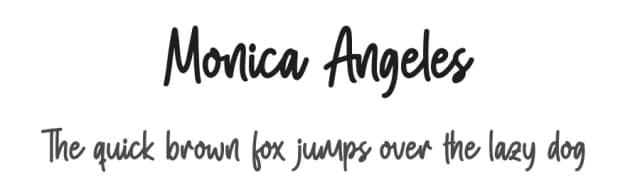
More by Aveni Letter Type
View all →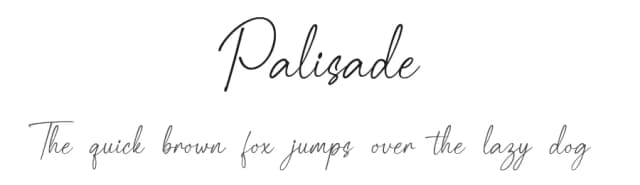
Browse fonts by theme
Curated collections →Saw a font in a picture? Identify any font from an image with our free Font Finder.
More Script Handwritten Fonts
Browse all →







What pairs well with The Valentino Font?
The Valentino Font is a script font that shines as a display or heading face. Pair it with a clean sans-serif or serif font for body text — the contrast creates a clear hierarchy while the two styles stay balanced and easy to read.



Premium Script Handwritten Fonts
★ PremiumWant something with more weights, glyphs, and commercial polish? These premium script handwritten fonts are worth a look.

The Valentino Font
Reviewed by the FontBoxDL team · Updated June 2026