 Firefox
 1 / 7
1 / 7About Tahta Font
Tahta, designed by Jprint Studio, is a flowing script with a natural, handwritten quality that feels both contemporary and refined. The letterforms connect smoothly from one to the next, giving designs an approachable yet sophisticated character that spans formal and creative applications.
This script works particularly well on wedding invitation suites where the personal touch distinguishes your client's event, boutique skincare packaging that whispers luxury without aggression, custom logo design for established brands seeking warmth and character, and Etsy product labels for artisanal goods ranging from baked items to handmade jewelry. It shines on formal business stationery, signature applications, and custom event programs where legibility and elegance matter equally. The script carries enough visual distinction to serve as a focal point without overwhelming surrounding design elements, making it adaptable across both print and digital projects.
Designers and creative entrepreneurs will find Tahta most useful when building cohesive brand systems and custom packaging. It works brilliantly on invitations, formal stationery, and any correspondence where handcrafted warmth matters more than slick perfection. Get Tahta from Creative Fabrica and add this script to your collection.
Style & Use Cases
- Overall Style
- Elegant, Flowing
- Use Case
- Invitations, Branding
- Ideal For
- wedding stationery, greeting cards, and signatures
- Pairs With
- a simple uppercase sans
How to Install Tahta Font
Step-by-step instructions for every platform
- 1Download the Tahta font file (.ttf or .otf).
- 2Locate the downloaded file in your Downloads folder.
- 3Right-click the font file.
- 4Select "Install" to install for the current user, or "Install for all users" to make it available system-wide.
- 5Tahta is now available in Word, Photoshop, Illustrator, and all other apps.
More by Jprint Studio
View all →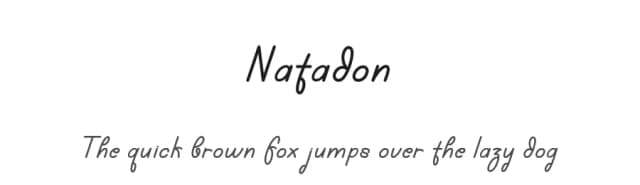
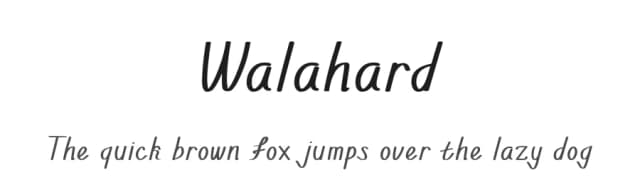
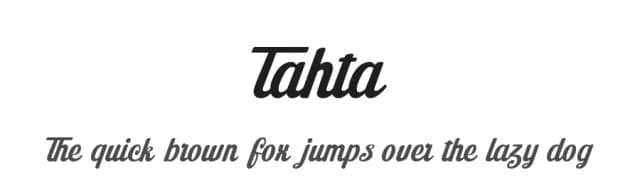
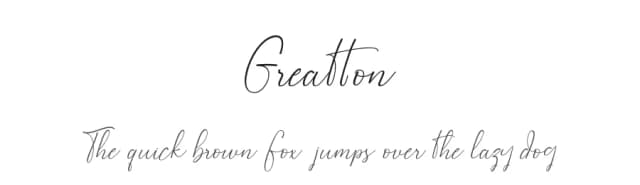
Browse fonts by theme
Curated collections →Saw a font in a picture? Identify any font from an image with our free Font Finder.
More Script Handwritten Fonts
Browse all →







What pairs well with Tahta Font?
Tahta Font is a script font that shines as a display or heading face. Pair it with a clean sans-serif or serif font for body text — the contrast creates a clear hierarchy while the two styles stay balanced and easy to read.



Tahta Font
Reviewed by the FontBoxDL team · Updated July 2026