 Firefox
 1 / 5
1 / 5About Specialist Font by Trim Studio Font
Specialist Font by Trim Studio is a flowing signature script that authentically captures the elegance of hand-drawn lettering while maintaining excellent legibility across diverse applications. The typeface combines contemporary styling with timeless appeal, working equally well for intimate personal creative projects and professional branding efforts alike. With two complementary styles included in this package, it adapts seamlessly to various design contexts, sizing needs, and stylistic preferences.
The font excels in creating sophisticated wedding invitation suites where every design detail matters, crafting distinctive handmade product labels that command attention on store shelves, and designing personalized gift packaging that feels genuinely thoughtful. It's equally effective for building cohesive business card designs that leave memorable impressions or creating eye-catching quote graphics for social media sharing. The balanced letterforms and natural flow make it particularly effective for vintage-inspired branding projects where authenticity and genuine character are essential to the overall aesthetic.
Whether you're designing custom monogram artwork, developing elegant event stationery, or establishing a consistent signature style across your entire creative portfolio, Specialist Font delivers the refined elegance of traditional calligraphy with practical modern versatility for any project. Get the font on Creative Fabrica and discover how this expressive handwritten script can enhance your design toolkit.
Style & Use Cases
- Overall Style
- Elegant, Flowing, Symbol
- Use Case
- Invitations, Branding
- Ideal For
- wedding stationery, greeting cards, and signatures
- Pairs With
- a simple uppercase sans
How to Install Specialist Font by Trim Studio Font
Step-by-step instructions for every platform
- 1Download the Specialist Font by Trim Studio font file (.ttf or .otf).
- 2Locate the downloaded file in your Downloads folder.
- 3Right-click the font file.
- 4Select "Install" to install for the current user, or "Install for all users" to make it available system-wide.
- 5Specialist Font by Trim Studio is now available in Word, Photoshop, Illustrator, and all other apps.
More by Trim Studio
View all →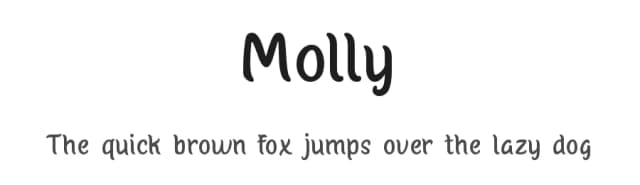
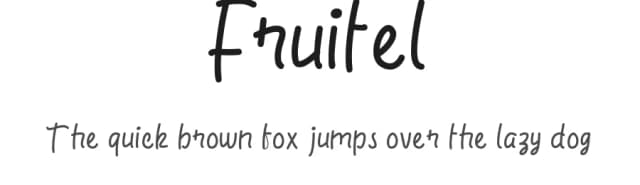
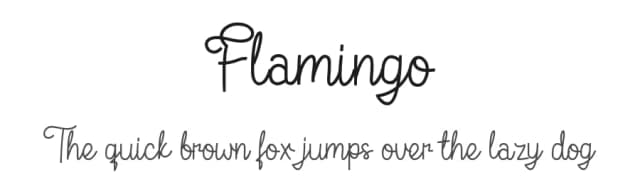
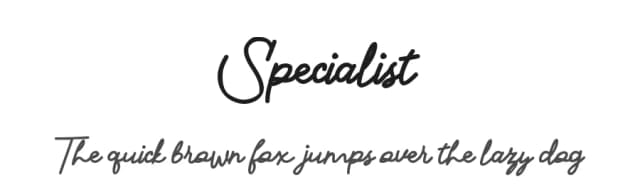
Browse fonts by theme
Curated collections →Saw a font in a picture? Identify any font from an image with our free Font Finder.
More Script Handwritten Fonts
Browse all →







What pairs well with Specialist Font by Trim Studio Font?
Specialist Font by Trim Studio Font is a script font that shines as a display or heading face. Pair it with a clean sans-serif or serif font for body text — the contrast creates a clear hierarchy while the two styles stay balanced and easy to read.



Specialist Font by Trim Studio Font
by Trim Studio
Reviewed by the FontBoxDL team · Updated May 2026