 Firefox
 1 / 9
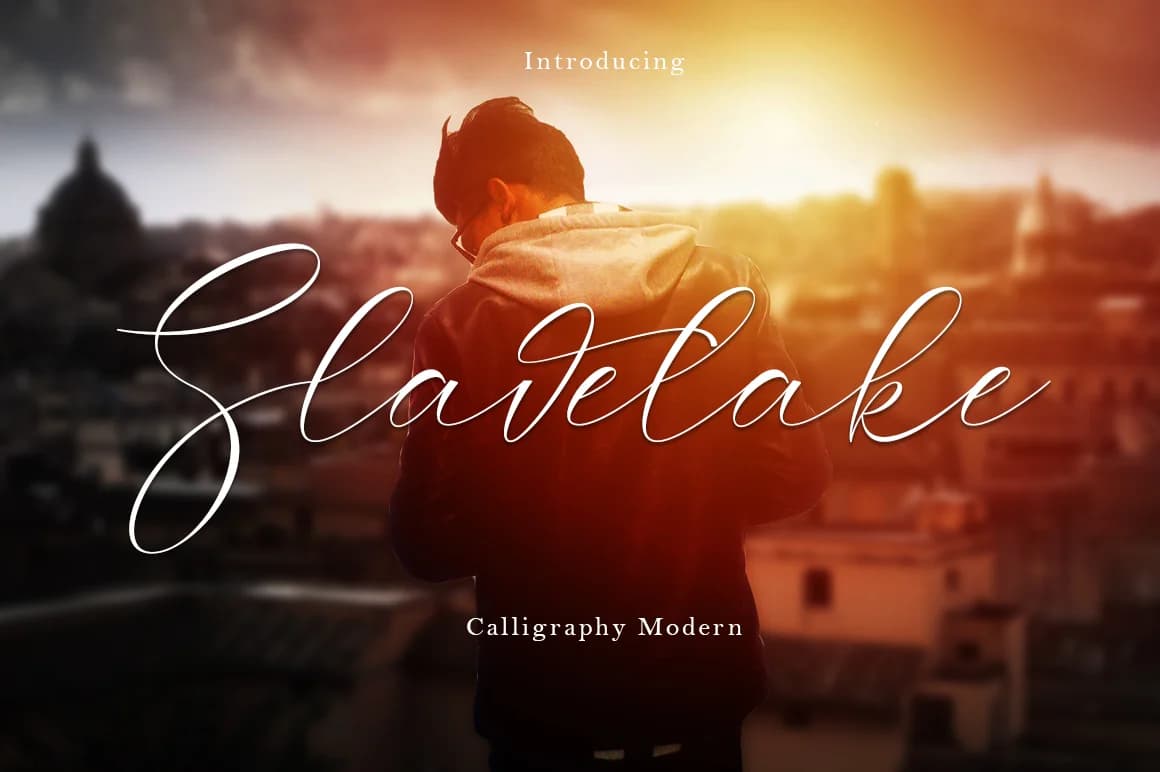
1 / 9About Slavelake Font
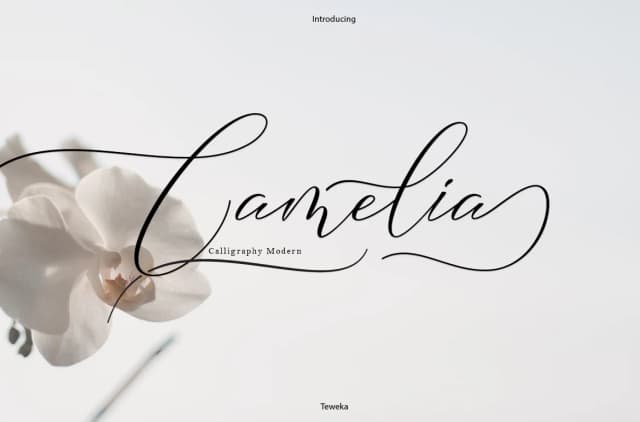
Slavelake Font by Teweka is a contemporary calligraphic script that brings flowing elegance to typography projects. With its carefully crafted letterforms and extensive character set of 336 unique glyphs, this font excels at creating sophisticated, handwritten aesthetics without sacrificing digital versatility. The font's comprehensive swashes and ligatures allow designers to build fluid, connected letterforms that feel organically natural, opening possibilities for layered text effects and ornamental applications.
This script works beautifully for wedding invitation suites where refined calligraphy sets an elegant tone, product packaging for artisanal goods that demand premium positioning, luxury branding applications requiring distinctive letterwork, and DIY craft signage projects. Whether composing invitation text with flourishing capitals or using Slavelake as a display headline, the font delivers the handwritten quality that speaks to intentional design rather than generic templating. The varied letterforms encourage experimentation with different stylistic combinations.
The extensive glyph library means designers can explore numerous alternatives without feeling constrained by a narrow character set. For anyone seeking a script that walks the line between modern sensibility and classical grace, Slavelake delivers both sophistication and practical utility. Discover how this calligraphic font can bring dimension and refinement to your lettering work by getting it from Creative Fabrica.
Style & Use Cases
- Overall Style
- Elegant, Flowing, Slavelake
- Use Case
- Invitations, Branding
- Ideal For
- wedding stationery, greeting cards, and signatures
- Pairs With
- a simple uppercase sans
How to Install Slavelake Font Font
Step-by-step instructions for every platform
- 1Download the Slavelake Font font file (.ttf or .otf).
- 2Locate the downloaded file in your Downloads folder.
- 3Right-click the font file.
- 4Select "Install" to install for the current user, or "Install for all users" to make it available system-wide.
- 5Slavelake Font is now available in Word, Photoshop, Illustrator, and all other apps.
Browse fonts by theme
Curated collections →Saw a font in a picture? Identify any font from an image with our free Font Finder.
More Script Handwritten Fonts
Browse all →







What pairs well with Slavelake Font?
Slavelake Font is a script font that shines as a display or heading face. Pair it with a clean sans-serif or serif font for body text — the contrast creates a clear hierarchy while the two styles stay balanced and easy to read.



Slavelake Font
by Teweka
Reviewed by the FontBoxDL team · Updated May 2026