 Firefox
 1 / 8
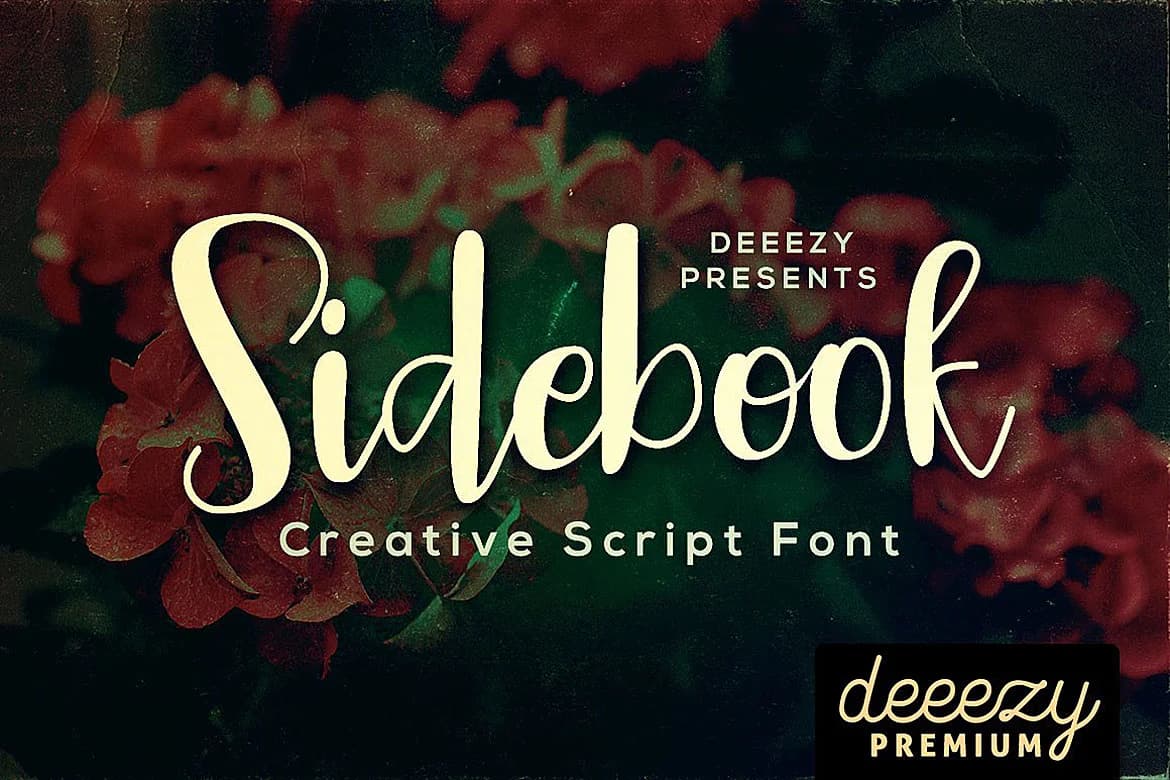
1 / 8About Sidebook Script Font
Sidebook Script Font by JumboDesign brings a playful, contemporary edge to projects that need genuine personality and character. This handwritten script style excels at adding warmth to wedding invitation suites, personalized greeting card designs, boutique brand identities, and custom social media graphics where authenticity and human connection matter most. The font's approachable, friendly character makes it work equally well for both established graphic design work and DIY creative endeavors that demand a distinctly handmade aesthetic. The extensive multilingual support built into Sidebook Script ensures your designs can reach global audiences without compromising style or coherence. Designers will appreciate the generous collection of stylistic alternates, which provides the flexibility to vary letterforms throughout your composition. This feature prevents repetitive patterns and creates natural visual interest, making it particularly valuable for longer text applications, event signage, personalized product labels, and any project where you want to achieve that authentic handwritten feel. Beyond its versatility, Sidebook Script delivers the casual sophistication that modern designs demand, a genuine balance between structured letterforms and organic, handcrafted character that truly resonates with audiences. Discover Sidebook Script Font on Creative Fabrica to bring its distinctive character and charm to your next design project.
Style & Use Cases
- Overall Style
- Elegant, Flowing, Sidebook
- Use Case
- Invitations, Branding
- Ideal For
- wedding stationery, greeting cards, and signatures
- Pairs With
- a simple uppercase sans
How to Install Sidebook Script Font Font
Step-by-step instructions for every platform
- 1Download the Sidebook Script Font font file (.ttf or .otf).
- 2Locate the downloaded file in your Downloads folder.
- 3Right-click the font file.
- 4Select "Install" to install for the current user, or "Install for all users" to make it available system-wide.
- 5Sidebook Script Font is now available in Word, Photoshop, Illustrator, and all other apps.
More by JumboDesign
View all →

Browse fonts by theme
Curated collections →Saw a font in a picture? Identify any font from an image with our free Font Finder.
More Script Handwritten Fonts
Browse all →







What pairs well with Sidebook Script Font?
Sidebook Script Font is a script font that shines as a display or heading face. Pair it with a clean sans-serif or serif font for body text — the contrast creates a clear hierarchy while the two styles stay balanced and easy to read.



Sidebook Script Font
by JumboDesign
Reviewed by the FontBoxDL team · Updated May 2026