 Firefox
 1 / 4
1 / 4About Shutterland Font
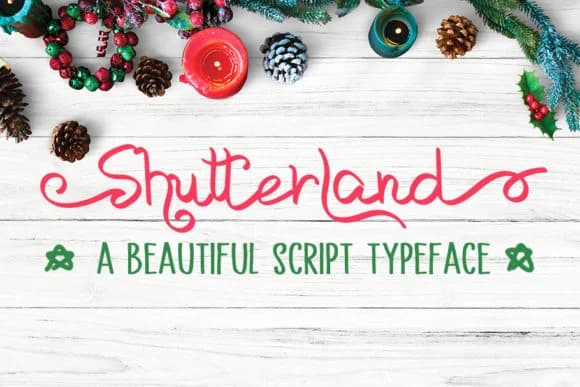
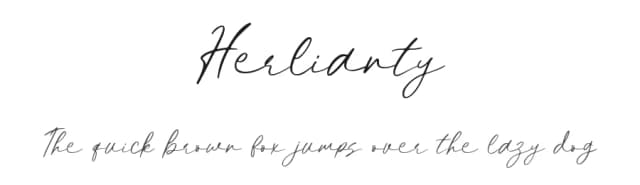
Imagine designing a wedding invitation suite where every single letterform feels hand-penned with genuine care. Shutterland, created by designer MJB Letters, is a hand-illustrated script typeface that walks the line between playful and polished with remarkable balance. The typeface features flowing swashes that bring authentic movement and real character to your work, giving designs that unmistakable genuine handmade quality without ever veering into overly ornate or decorative excess.
This script shines brightest wherever personality and craft matter deeply. Custom greeting cards and personalized stationery are the obvious first choices, but the magic really happens on wedding invitation suites, boutique product packaging labels, and decorative gift tags where its human-drawn sensibility adds immediate visual warmth and appeal. You'll find it equally suited to Etsy product listings and photography overlays, and DIY craft signage benefits enormously from that natural, gestural quality present in every letterform. At larger display sizes the script stays crisp, legible, and genuinely engaging, offering you meaningful control over how ornamental or minimal your design feels, giving you real flexibility in setting exactly the right mood for whatever creative project you're working on.
Shutterland is available on Creative Fabrica for anyone seeking a typeface that reads as genuinely handwritten.
Style & Use Cases
- Overall Style
- Elegant, Flowing, Shutterland
- Use Case
- Invitations, Branding
- Ideal For
- wedding stationery, greeting cards, and signatures
- Pairs With
- a simple uppercase sans
How to Install Shutterland Font Font
Step-by-step instructions for every platform
- 1Download the Shutterland Font font file (.ttf or .otf).
- 2Locate the downloaded file in your Downloads folder.
- 3Right-click the font file.
- 4Select "Install" to install for the current user, or "Install for all users" to make it available system-wide.
- 5Shutterland Font is now available in Word, Photoshop, Illustrator, and all other apps.
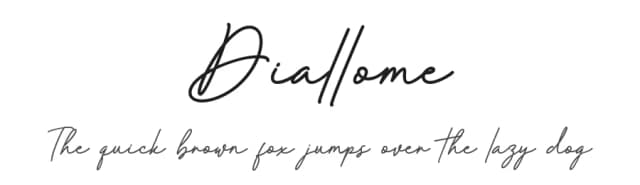
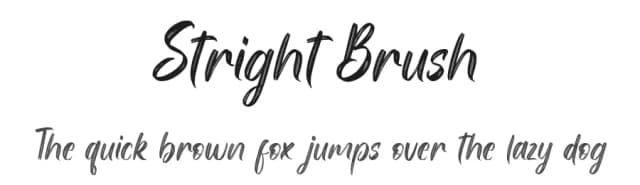
More by MJB Letters
View all →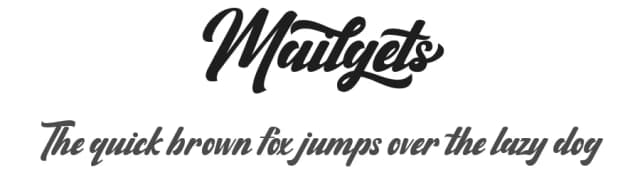
Browse fonts by theme
Curated collections →Saw a font in a picture? Identify any font from an image with our free Font Finder.
More Script Handwritten Fonts
Browse all →







What pairs well with Shutterland Font?
Shutterland Font is a script font that shines as a display or heading face. Pair it with a clean sans-serif or serif font for body text — the contrast creates a clear hierarchy while the two styles stay balanced and easy to read.



Shutterland Font
by MJB Letters
Reviewed by the FontBoxDL team · Updated May 2026