 Firefox
 1 / 6
1 / 6Loading font…
About Serve Font
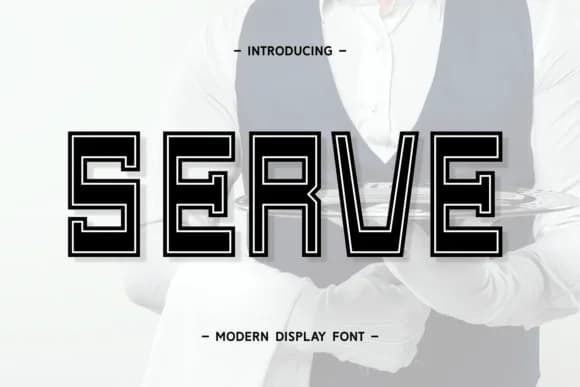
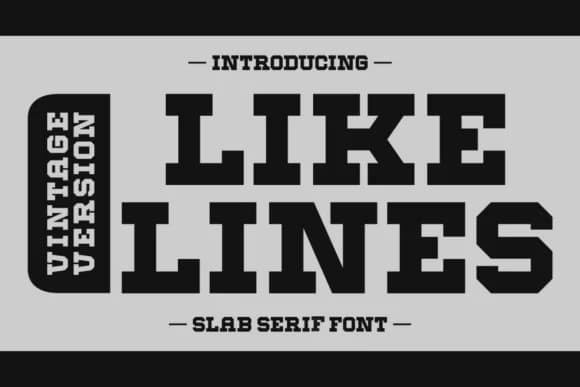
Serve by Wankriss is a slab serif display typeface that brings warmth and authority to editorial and branding work. Sturdy serifs combined with open letterforms give it clear presence on book covers and magazine spreads, where it anchors layouts without overwhelming supporting content. This structured geometry makes it equally effective for logotype design and brand identity systems where consistency and readability matter across different scales.
You'll find this typeface working hard in Father's Day greeting card suites, holiday packaging labels, and promotional posters where bold typography needs to command immediate attention without noise. The full multilingual character set means you can apply one cohesive visual language across global campaigns, and the glyph range supports silhouette cuts for craft projects, DIY signage, and product label work where precision counts. Designers reach for Serve when building comprehensive visual systems that need to function across multiple formats, from packaging to social media graphics to printed merchandise and beyond. Its strength comes from restraint rather than novelty, which is why it lands so well in branding contexts where the typeface needs to support the message rather than distract from it. Grab Serve today on Creative Fabrica and add it to your growing type library.
Style & Use Cases
- Overall Style
- Sturdy, Confident, Display Fonts
- Use Case
- Headlines, Merch
- Ideal For
- vintage posters, logos, and product packaging
- Pairs With
- a light sans-serif
How to Install Serve Font
Step-by-step instructions for every platform
- 1Download the Serve font file (.ttf or .otf).
- 2Locate the downloaded file in your Downloads folder.
- 3Right-click the font file.
- 4Select "Install" to install for the current user, or "Install for all users" to make it available system-wide.
- 5Serve is now available in Word, Photoshop, Illustrator, and all other apps.
Browse fonts by theme
Curated collections →Saw a font in a picture? Identify any font from an image with our free Font Finder.
More Slab Serif Fonts
Browse all →







What pairs well with Serve Font?
Serve Font is a slab serif font that shines as a display or heading face. Pair it with a clean sans-serif or serif font for body text — the contrast creates a clear hierarchy while the two styles stay balanced and easy to read.



Serve Font
by Wankriss
Reviewed by the FontBoxDL team · Updated October 2026