 Firefox
 1 / 8
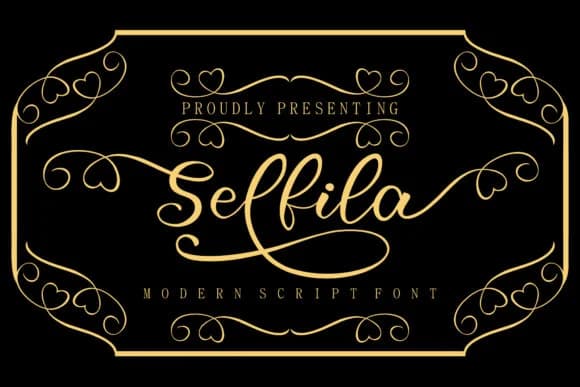
1 / 8About Selfila Font
Imagine laying out a wedding invitation suite with letterpress-style details, but you need a font that captures that handcrafted, flourished elegance on screen. That's where Selfila Font from Skiiller Studio comes in. This script-handwritten typeface brings a confident, flowing personality that works beautifully across luxury branding, custom greeting cards, and boutique packaging designs. It's a workhorse font for anyone who needs one typeface to carry the visual weight of an entire project.
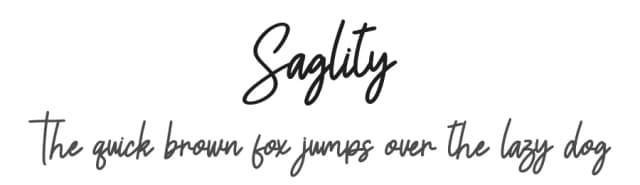
Selfila's defining feature is its generous swash work, which gives each letter breathing room and visual rhythm. Cosmetics labels, menu cards for upscale restaurants, and craft-forward Etsy product packaging all benefit from this typeface's ability to maintain legibility while keeping that personal, organic touch. The swashes sit naturally in display sizes without feeling cramped or overwrought, making the typeface forgiving enough for beginners but sophisticated enough for professional design work. You'll appreciate how the letters flow from one to another, creating that connected, handmade feeling without looking sloppy or hard to read.
The font works best as a headline or display element, giving you one strong typographic statement without needing multiple weights or layering additional fonts on top. You get plenty of character from a single weight, which simplifies your design choices. Grab Selfila on Creative Fabrica to bring this fluid, graceful script into your font library.
Style & Use Cases
- Overall Style
- Elegant, Flowing, Selfila
- Use Case
- Invitations, Branding
- Ideal For
- wedding stationery, greeting cards, and signatures
- Pairs With
- a simple uppercase sans
How to Install Selfila Font Font
Step-by-step instructions for every platform
- 1Download the Selfila Font font file (.ttf or .otf).
- 2Locate the downloaded file in your Downloads folder.
- 3Right-click the font file.
- 4Select "Install" to install for the current user, or "Install for all users" to make it available system-wide.
- 5Selfila Font is now available in Word, Photoshop, Illustrator, and all other apps.
More by Skiiller Studio
View all →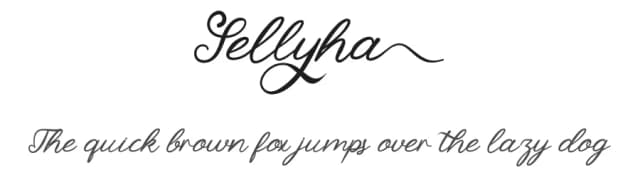
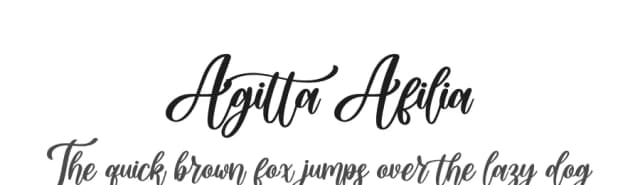
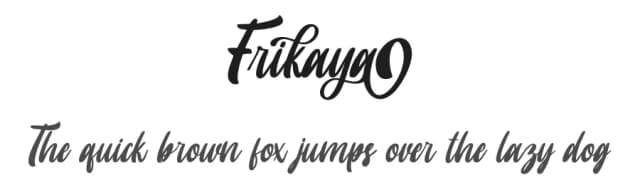
Browse fonts by theme
Curated collections →Saw a font in a picture? Identify any font from an image with our free Font Finder.
More Script Handwritten Fonts
Browse all →







What pairs well with Selfila Font?
Selfila Font is a script font that shines as a display or heading face. Pair it with a clean sans-serif or serif font for body text — the contrast creates a clear hierarchy while the two styles stay balanced and easy to read.



Selfila Font
Reviewed by the FontBoxDL team · Updated September 2026