 Firefox
 1 / 5
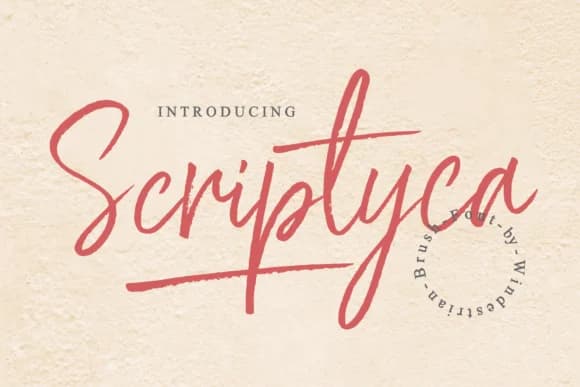
1 / 5About Scriptyca Font
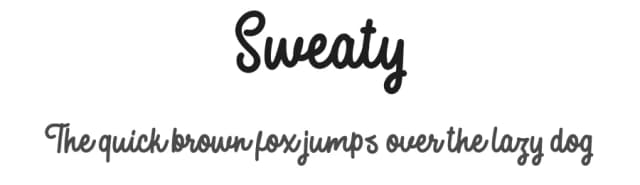
Scriptyca by windestrian is a bouncy handwritten script with genuine personality and charm. The design's playful rhythm makes it ideal for wedding invitation suites, where the informal energy pairs perfectly with romantic layouts. You'll also find it equally at home on artisan product labels, hand-lettered signage for boutique shops, and indie cosmetics packaging where personality trumps polish.
The font features alternate letterforms that give you flexibility in how energetic each piece feels. One letter might look relaxed while another version dances a bit higher off the baseline, letting you customize the mood without changing the overall typeface. Scriptyca works beautifully in short bursts of text and longer passages alike, and that sketched-by-hand quality never gets lost no matter how you deploy it.
What sets this typeface apart is how it makes viewers actually pause and engage with the text instead of glancing past it. There's something about the way each letter connects that feels unhurried and intentional, even when the overall impression is playful. That combination of casual friendliness with underlying control is exactly what independent designers and small brands reach for when they want to stand out. Find Scriptyca on Creative Fabrica and start bringing that authentic handwritten energy to your work.
Style & Use Cases
- Overall Style
- Elegant, Flowing, Scriptyca
- Use Case
- Invitations, Branding
- Ideal For
- wedding stationery, greeting cards, and signatures
- Pairs With
- a simple uppercase sans
How to Install Scriptyca Font Font
Step-by-step instructions for every platform
- 1Download the Scriptyca Font font file (.ttf or .otf).
- 2Locate the downloaded file in your Downloads folder.
- 3Right-click the font file.
- 4Select "Install" to install for the current user, or "Install for all users" to make it available system-wide.
- 5Scriptyca Font is now available in Word, Photoshop, Illustrator, and all other apps.
More by windestrian
View all →
Browse fonts by theme
Curated collections →Saw a font in a picture? Identify any font from an image with our free Font Finder.
More Script Handwritten Fonts
Browse all →







What pairs well with Scriptyca Font?
Scriptyca Font is a script font that shines as a display or heading face. Pair it with a clean sans-serif or serif font for body text — the contrast creates a clear hierarchy while the two styles stay balanced and easy to read.



Scriptyca Font
by windestrian
Reviewed by the FontBoxDL team · Updated August 2026