 Firefox
 1 / 5
1 / 5About Saintrop Font
Saintrop by Maulana Creative is a flowing brush script that captures the authentic warmth of hand-drawn lettering while delivering the consistency and scalability of a professional typeface. The typeface's organic stroke variation and expressive letterforms make it an excellent choice for designers seeking genuine handcrafted aesthetics without sacrificing usability across digital and print applications. This script shines particularly in creating wedding invitation suites, where its flowing letterforms convey elegance and personalization. It's equally suited for designing artisanal packaging labels for boutique skincare brands and small-batch food products, personalized greeting card suites, and custom logo designs that benefit from a handwritten touch. The inclusion of multiple alternates, Saintrop Regular, Alt One, and Alt Two, gives you creative flexibility to customize individual letters and create truly bespoke compositions. Beyond traditional use cases, Saintrop performs beautifully in hand-lettered social media headers, vintage café signage, artist portfolio presentations, and high-end cosmetics branding where authenticity signals quality. The natural character of the brush strokes works especially well for typography-focused compositions, quote graphics, and editorial layouts that prioritize expressive letterforms. Whether you're developing luxury brand identities or personal stationery projects, Saintrop delivers the handmade quality that clients and audiences recognize and trust. Get Saintrop Font from Creative Fabrica and bring authentic handwritten character to your work.
Style & Use Cases
- Overall Style
- Elegant, Flowing, Saintrop Regular
- Use Case
- Invitations, Branding
- Ideal For
- wedding stationery, greeting cards, and signatures
- Pairs With
- a simple uppercase sans
How to Install Saintrop Font Font
Step-by-step instructions for every platform
- 1Download the Saintrop Font font file (.ttf or .otf).
- 2Locate the downloaded file in your Downloads folder.
- 3Right-click the font file.
- 4Select "Install" to install for the current user, or "Install for all users" to make it available system-wide.
- 5Saintrop Font is now available in Word, Photoshop, Illustrator, and all other apps.
More by Maulana Creative
View all →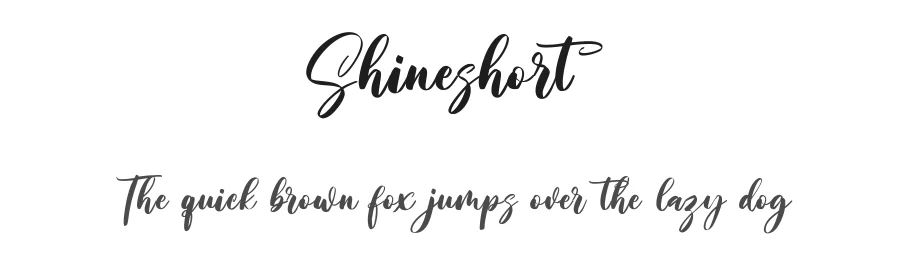

Browse fonts by theme
Curated collections →Saw a font in a picture? Identify any font from an image with our free Font Finder.
More Script Handwritten Fonts
Browse all →







What pairs well with Saintrop Font?
Saintrop Font is a script font that shines as a display or heading face. Pair it with a clean sans-serif or serif font for body text — the contrast creates a clear hierarchy while the two styles stay balanced and easy to read.




Saintrop Font
Reviewed by the FontBoxDL team · Updated May 2026