 Firefox
 1 / 6
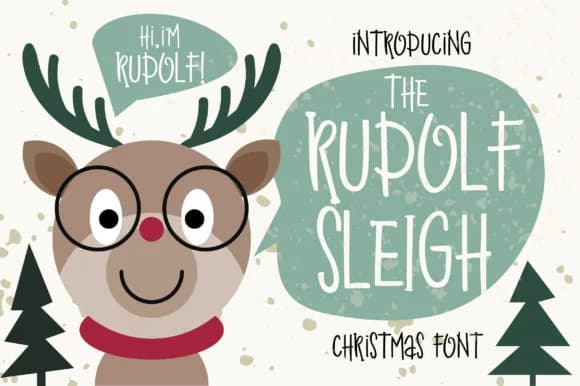
1 / 6About Rudolf Sleigh Font
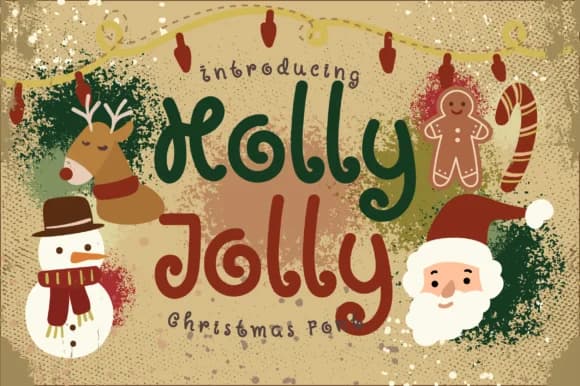
Rudolf Sleigh, designed by Caoca Studio, brings flowing, playful letterforms that dance across the page with genuine festive energy. This hand-drawn script captures the authentic charm of holiday lettering while maintaining enough clarity for actual use, making it the kind of font that feels personal without sacrificing readability.
The font works beautifully on holiday greeting cards where a genuine personal touch separates yours from templates, gift tag designs that deserve more than stock typography, and festive menu cards for holiday gatherings and dinner parties. Christmas packaging labels, ornament designs, and Etsy holiday shop listings all benefit from its approachable, joyful character. Because Rudolf Sleigh reads as warmth rather than pretension, it feels right for both formal holiday stationery and casual DIY craft projects. The style translates well across print and digital contexts, so you can use it for Instagram holiday graphics, festive merchandise mockups, or traditional printed materials without losing its personality.
This is the font for anyone creating seasonal work that should feel intentional and inviting rather than mass-produced or impersonal. You'll find it on Creative Fabrica, where it's ready to download and pairs beautifully with complementary fonts for layered holiday compositions and festive designs.
Style & Use Cases
- Overall Style
- Elegant, Flowing, Rudolf Sleigh
- Use Case
- Invitations, Branding
- Ideal For
- wedding stationery, greeting cards, and signatures
- Pairs With
- a simple uppercase sans
How to Install Rudolf Sleigh Font Font
Step-by-step instructions for every platform
- 1Download the Rudolf Sleigh Font font file (.ttf or .otf).
- 2Locate the downloaded file in your Downloads folder.
- 3Right-click the font file.
- 4Select "Install" to install for the current user, or "Install for all users" to make it available system-wide.
- 5Rudolf Sleigh Font is now available in Word, Photoshop, Illustrator, and all other apps.
More by Caoca Studio
View all →
Browse fonts by theme
Curated collections →Saw a font in a picture? Identify any font from an image with our free Font Finder.
More Script Handwritten Fonts
Browse all →







What pairs well with Rudolf Sleigh Font?
Rudolf Sleigh Font is a script font that shines as a display or heading face. Pair it with a clean sans-serif or serif font for body text — the contrast creates a clear hierarchy while the two styles stay balanced and easy to read.



Rudolf Sleigh Font
by Caoca Studio
Reviewed by the FontBoxDL team · Updated August 2026