 Firefox
 1 / 3
1 / 3Loading font…
About Rough Owl Font
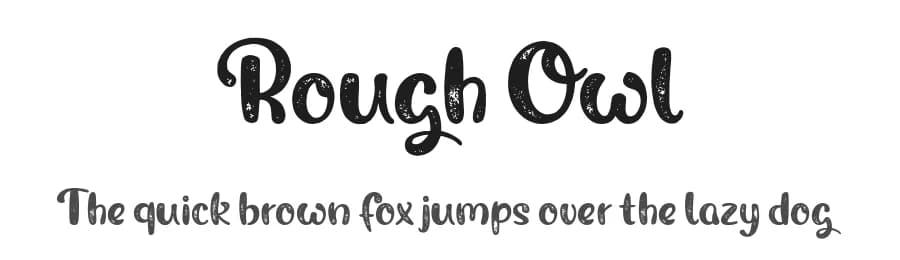
After the release of our "Magic Owl" Typeface we're now introducing its evil brother: Rough Owl, is a playful handcrafted premium font with a subtle but still noticeable Grunge Effect that makes your design stand out and gives the font some vintage touches.
If you like this demo you can also buy the full version which includes numbers, symbols, special characters and language support for most latin based languages. But thats not all: ligatures and alternate Glyphs will magically appear while typing to give the font a realistic handwritten nature.
Get it now:
www.shapedfonts.com/rough
PLEASE NOTE: This font is only free for personal use, so please buy a license if you want to use it for commercial purposes (anything youre aiming profit with).
A license can be bought on our website:
www.shapedfonts.com/rough
CHECK OUT:
www.shapedfonts.com/magic
for the clean version of this typeface.
Please contact us at
[email protected]
if your company has more than 10 employees or if you have any other requests/questions.
ALSO NOTE: It is not allowed to modify this font in any way but were happy to help you with your custom Magic Owl - Solution!
More...
Stay safe everyone!
- Philip
Style & Use Cases
- Overall Style
- Elegant, Flowing, Script
- Use Case
- Invitations, Branding
- Ideal For
- wedding stationery, greeting cards, and signatures
- Pairs With
- a simple uppercase sans
Similar Fonts
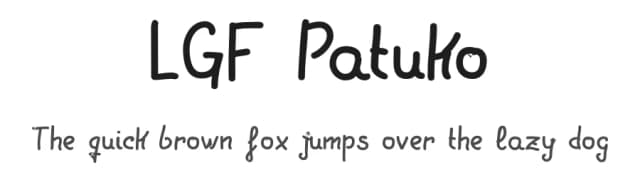
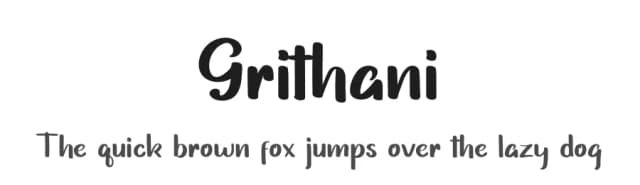
Fonts that look visually alike — matched by our Font Finder model.




Rough Owl Specifications
| Font Family | Rough Owl |
| Style | Regular |
| Full Name | Rough Owl Regular |
| Version | 1.000 |
| Weight | 400 (Regular) |
| Glyph Count | 86 glyphs |
| PostScript Name | RoughOwl-Regular |
| Designer | Philip Trautmann |
| Format | TTF (TrueType) |
| File Size | 132.8 KB |
Languages Supported
Rough Owl supports 89 languages.
How to Install Rough Owl Font
Step-by-step instructions for every platform
- 1Download the Rough Owl font file (.ttf or .otf).
- 2Locate the downloaded file in your Downloads folder.
- 3Right-click the font file.
- 4Select "Install" to install for the current user, or "Install for all users" to make it available system-wide.
- 5Rough Owl is now available in Word, Photoshop, Illustrator, and all other apps.
More by Shaped Fonts
View all →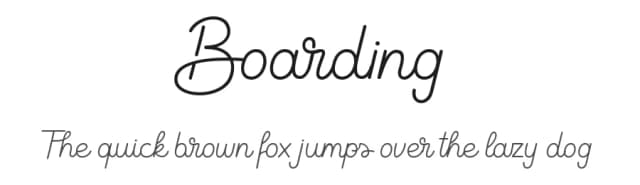

Browse fonts by theme
Curated collections →Saw a font in a picture? Identify any font from an image with our free Font Finder.
More Script Handwritten Fonts
Browse all →







What pairs well with Rough Owl Font?
Rough Owl Font is a script font that shines as a display or heading face. Pair it with a clean sans-serif or serif font for body text — the contrast creates a clear hierarchy while the two styles stay balanced and easy to read.



Premium Script Handwritten Fonts
★ PremiumWant something with more weights, glyphs, and commercial polish? These premium script handwritten fonts are worth a look.

Rough Owl Font
by Shaped Fonts
Reviewed by the FontBoxDL team · Updated June 2026
License: Free for personal use