 Firefox
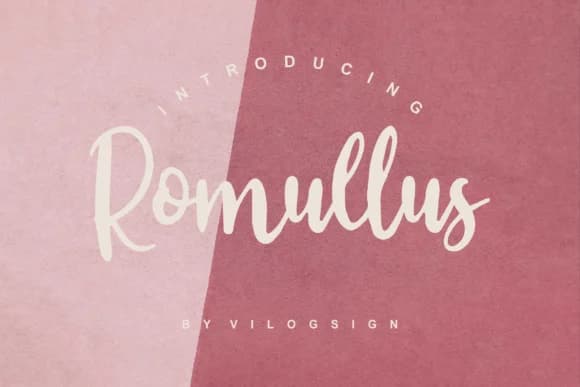 1 / 7
1 / 7About Romullus Font
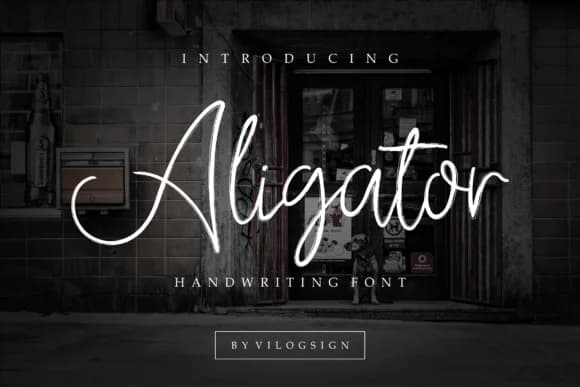
This handwritten script straddles playful and commanding, landing in the sweet spot where it captures attention without overwhelming a layout. Romullus by Vilogsign brings the organic feel of writing by hand while avoiding the waviness that makes casual scripts feel unfinished. The letterforms have a bold confidence that works as a headline element or holds its own as an accent at smaller sizes.
Wedding invitation suites really shine with Romullus because it gives them that personal, intimate quality that formal fonts can't touch. Etsy product labels and artisan skincare packaging gain credibility from its character. Hand-lettered social media graphics look sharper with this typeface, and boutique brand identities feel more grounded. Restaurant menus and wine list headers benefit from the confidence in each letterform. Personalized gift tags, greeting card collections, and DIY craft signage all read with more intention. It's one of those fonts that makes everyday designs feel carefully considered rather than rushed.
The script comes with multiple weights and strong language support, giving you real flexibility across different projects. Pair it with a clean, geometric sans-serif for body text or supporting copy, letting Romullus own the visual hierarchy. You'll find it ready to download on Creative Fabrica whenever you need that hand-crafted warmth in your designs.
Style & Use Cases
- Overall Style
- Elegant, Flowing, Romullus
- Use Case
- Invitations, Branding
- Ideal For
- wedding stationery, greeting cards, and signatures
- Pairs With
- a simple uppercase sans
How to Install Romullus Font Font
Step-by-step instructions for every platform
- 1Download the Romullus Font font file (.ttf or .otf).
- 2Locate the downloaded file in your Downloads folder.
- 3Right-click the font file.
- 4Select "Install" to install for the current user, or "Install for all users" to make it available system-wide.
- 5Romullus Font is now available in Word, Photoshop, Illustrator, and all other apps.
More by Vilogsign
View all →
Browse fonts by theme
Curated collections →Saw a font in a picture? Identify any font from an image with our free Font Finder.
More Script Handwritten Fonts
Browse all →







What pairs well with Romullus Font?
Romullus Font is a script font that shines as a display or heading face. Pair it with a clean sans-serif or serif font for body text — the contrast creates a clear hierarchy while the two styles stay balanced and easy to read.



Romullus Font
by Vilogsign
Reviewed by the FontBoxDL team · Updated June 2026