
 1 / 9
1 / 9About Rohman Font
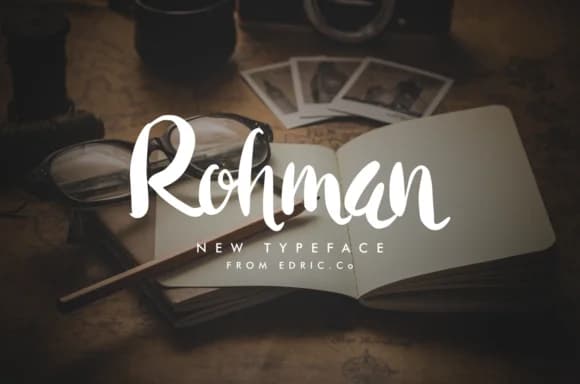
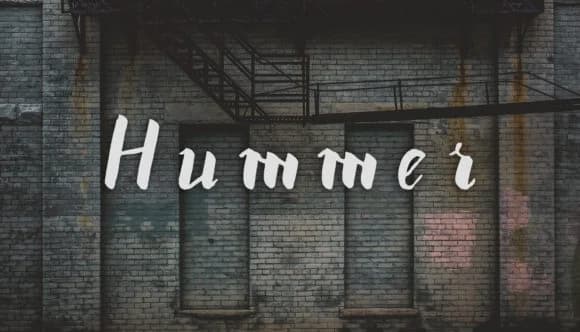
Rohman is a handwritten script by EdricStudio that combines flowing letterforms with a deliberately worn, textured aesthetic. This contemporary interpretation of script typography feels authentic and human-made while maintaining readability across different applications. The grunge quality gives it genuine character without the sterility of purely digital script fonts, making it ideal when you want personality in your typography.
The font works especially well for wedding invitation suites, cosmetic and craft product packaging, hand-lettered social media graphics, and greeting card designs. The textured letterforms shine brightest when used for display purposes or layered with photography and decorative elements. You'll find it equally effective as a large heading treatment or as accent typography supporting cleaner fonts. Because the letterforms have that intentional worn quality, Rohman doesn't compete with content. It adds visual richness and character to layouts without becoming distracting.
Rohman suits designers and creative makers who need script typography with contemporary edge and intentionality rather than overly formal elegance or precious delicacy. The roughed-up aesthetic works particularly well in branding projects where you want to signal authenticity or a handmade sensibility. Grab it on Creative Fabrica and you'll have access to all the font variations and language support.
Style & Use Cases
- Overall Style
- Elegant, Flowing, Rohman
- Use Case
- Invitations, Branding
- Ideal For
- wedding stationery, greeting cards, and signatures
- Pairs With
- a simple uppercase sans
How to Install Rohman Font Font
Step-by-step instructions for every platform
- 1Download the Rohman Font font file (.ttf or .otf).
- 2Locate the downloaded file in your Downloads folder.
- 3Right-click the font file.
- 4Select "Install" to install for the current user, or "Install for all users" to make it available system-wide.
- 5Rohman Font is now available in Word, Photoshop, Illustrator, and all other apps.
More by EdricStudio
View all →
Browse fonts by theme
Curated collections →Saw a font in a picture? Identify any font from an image with our free Font Finder.
More Script Handwritten Fonts
Browse all →







What pairs well with Rohman Font?
Rohman Font is a script font that shines as a display or heading face. Pair it with a clean sans-serif or serif font for body text — the contrast creates a clear hierarchy while the two styles stay balanced and easy to read.



Rohman Font
by EdricStudio
Reviewed by the FontBoxDL team · Updated June 2026