 Firefox
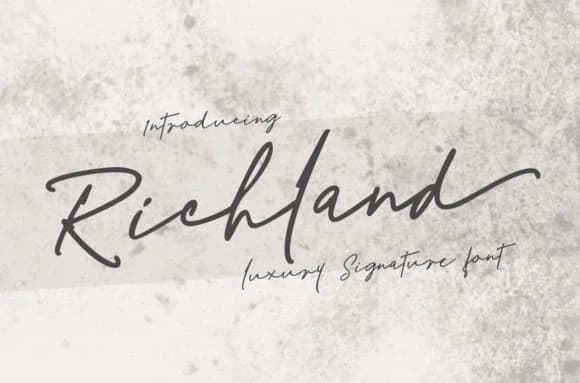 1 / 9
1 / 9About Richland Font
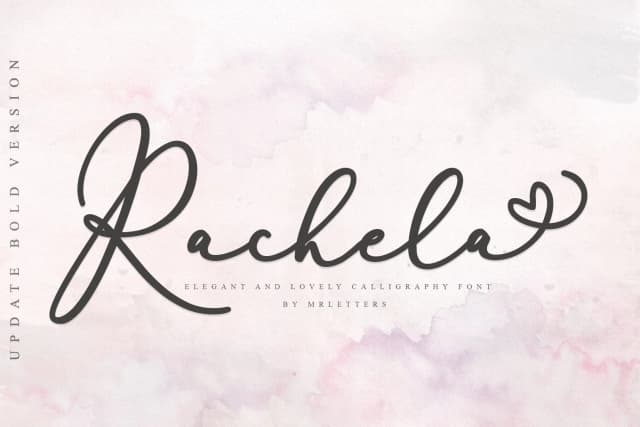
There's something deeply personal about flowing, handwritten letterforms. Richland Font, created by Mrletters, brings that kind of sophisticated script to any project that needs genuine character, warmth, and a touch of individuality rather than the sterile precision of corporate typefaces.
This typeface excels wherever elegance pairs with personality and real authenticity. You might reach for it when designing wedding invitation suites with hand-addressed envelopes, creating boutique skincare or candle packaging that feels like a genuine luxury brand people want to keep, laying out custom restaurant menus or wine labels, building personalized event programs, or putting together stationery collections that look like they came straight from a designer's studio. The natural rhythm of Richland's letterforms translates beautifully to both print and digital contexts, bringing life to projects that need warmth. In areas where handwriting reads as authenticity itself rather than mere decoration, this script consistently delivers impact.
The flowing letterwork pairs beautifully with a clean, restrained sans-serif for body copy. Try pairing it with something like Montserrat or Inter to establish visual hierarchy while keeping the script as your primary focal voice. You'll find Richland on Creative Fabrica, ready to bring genuine handcrafted character to your work.
Style & Use Cases
- Overall Style
- Elegant, Flowing, Richland
- Use Case
- Invitations, Branding
- Ideal For
- wedding stationery, greeting cards, and signatures
- Pairs With
- a simple uppercase sans
How to Install Richland Font Font
Step-by-step instructions for every platform
- 1Download the Richland Font font file (.ttf or .otf).
- 2Locate the downloaded file in your Downloads folder.
- 3Right-click the font file.
- 4Select "Install" to install for the current user, or "Install for all users" to make it available system-wide.
- 5Richland Font is now available in Word, Photoshop, Illustrator, and all other apps.
More by Mrletters
View all →
Browse fonts by theme
Curated collections →Saw a font in a picture? Identify any font from an image with our free Font Finder.
More Script Handwritten Fonts
Browse all →







What pairs well with Richland Font?
Richland Font is a script font that shines as a display or heading face. Pair it with a clean sans-serif or serif font for body text — the contrast creates a clear hierarchy while the two styles stay balanced and easy to read.



Richland Font
by Mrletters
Reviewed by the FontBoxDL team · Updated June 2026