 Firefox
 1 / 5
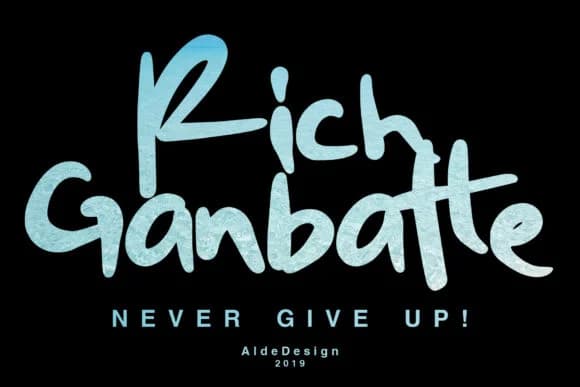
1 / 5About Rich Ganbatte Font
Rich Ganbatte combines confident, flowing letterforms with an authentic street-art edge that commands immediate attention without apology. Created by aldedesign, this handwritten script brings raw personality and visible movement to any project through its bold strokes and deeply organic character, designed to cut through the noise of mass-produced typefaces today.
The font shines on wedding invitation suites where elegance meets visual impact, and translates beautifully to packaging for independent beauty brands, artisan chocolate labels, and specialty coffee roasters looking for character. Graphic designers love it for event posters that demand presence without pretense, and it works equally well on social media headers for creative agencies and small businesses that champion handmade authenticity. The sketchy, hand-drawn quality suggests immediacy and life while remaining legible at display sizes, which makes it stand out strongly in both print and digital contexts.
This is the essential typeface for anyone designing a boutique brand identity, creating seasonal menu cards, or carefully developing custom monograms for luxury stationery pieces. Rich Ganbatte delivers unmistakable character that makes designs feel human and intentional rather than formulaic or overwrought. Find it on Creative Fabrica for straightforward licensing and the freedom to focus on what genuinely matters: making something truly good.
Style & Use Cases
- Overall Style
- Elegant, Flowing, Handwritten
- Use Case
- Invitations, Branding
- Ideal For
- wedding stationery, greeting cards, and signatures
- Pairs With
- a simple uppercase sans
How to Install Rich Ganbatte Font Font
Step-by-step instructions for every platform
- 1Download the Rich Ganbatte Font font file (.ttf or .otf).
- 2Locate the downloaded file in your Downloads folder.
- 3Right-click the font file.
- 4Select "Install" to install for the current user, or "Install for all users" to make it available system-wide.
- 5Rich Ganbatte Font is now available in Word, Photoshop, Illustrator, and all other apps.
More by aldedesign
View all →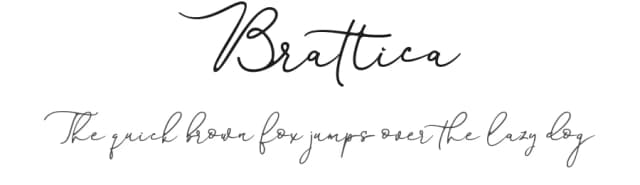
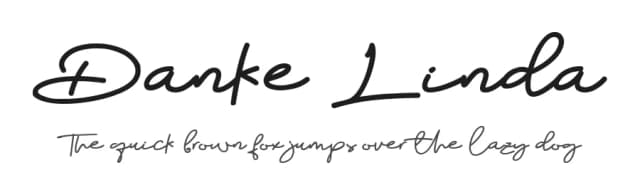
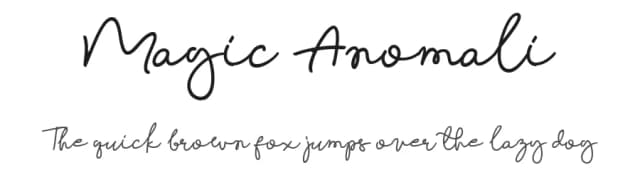
Browse fonts by theme
Curated collections →Saw a font in a picture? Identify any font from an image with our free Font Finder.
More Script Handwritten Fonts
Browse all →







What pairs well with Rich Ganbatte Font?
Rich Ganbatte Font is a script font that shines as a display or heading face. Pair it with a clean sans-serif or serif font for body text — the contrast creates a clear hierarchy while the two styles stay balanced and easy to read.



Rich Ganbatte Font
by aldedesign
Reviewed by the FontBoxDL team · Updated August 2026