 Firefox
 1 / 3
1 / 3Loading font…
About Rage Font
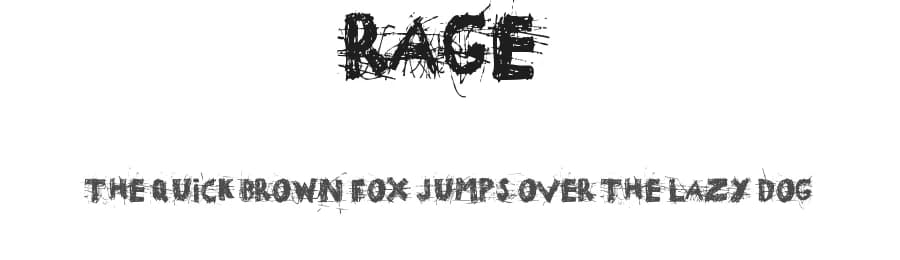
Rage is a script-handwritten typeface designed by Woodcutter that channels raw energy into work demanding an edgy, rebellious visual character. This isn't a font built for refinement or corporate polish; it's made for projects that need to feel uncontrolled and urgent. With 236 glyphs and support for 209+ Latin-based languages, it carries enough technical substance to handle serious work while keeping that distinctly grungy, hand-drawn personality throughout.
The script-trash combination makes Rage ideal for design work with genuine attitude: concert and music event posters, punk and streetwear brand identities, zine covers and DIY publication headers, or graphic design that refuses to apologize for its aggressive visual style. It's the typeface you'd see on skateboard graphics, underground music merchandise, or street art installations where polished restraint would feel completely wrong. Intentional imperfection gives it authenticity that slick, controlled fonts simply cannot match.
Licensed for personal use only; commercial use requires a license from the designer. Choose this font when your project needs a script with genuine edge, something that treats visual roughness as a feature rather than as something to apologize for.
Style & Use Cases
- Overall Style
- Elegant, Flowing, Script
- Use Case
- Invitations, Branding
- Ideal For
- wedding stationery, greeting cards, and signatures
- Pairs With
- a simple uppercase sans
Similar Fonts
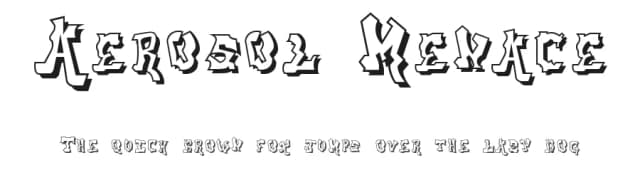
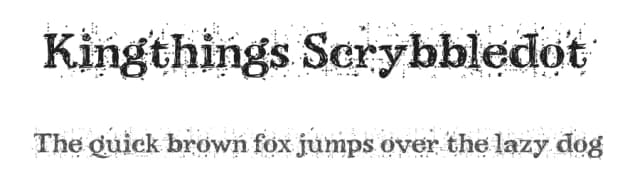
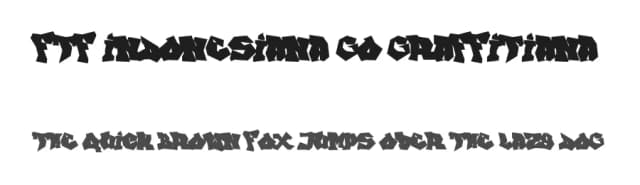
Fonts that look visually alike — matched by our Font Finder model.



Rage Specifications
| Font Family | rage |
| Style | Normal |
| Full Name | rage |
| Version | 1.00 March 31, 2014, initial release |
| Weight | 400 (Regular) |
| Glyph Count | 236 glyphs |
| PostScript Name | rage |
| Format | TTF (TrueType) |
| File Size | 646 KB |
Languages Supported
Rage supports 209 languages.
How to Install Rage Font
Step-by-step instructions for every platform
- 1Download the Rage font file (.ttf or .otf).
- 2Locate the downloaded file in your Downloads folder.
- 3Right-click the font file.
- 4Select "Install" to install for the current user, or "Install for all users" to make it available system-wide.
- 5Rage is now available in Word, Photoshop, Illustrator, and all other apps.

Browse fonts by theme
Curated collections →Saw a font in a picture? Identify any font from an image with our free Font Finder.
More Script Handwritten Fonts
Browse all →







What pairs well with Rage Font?
Rage Font is a script font that shines as a display or heading face. Pair it with a clean sans-serif or serif font for body text — the contrast creates a clear hierarchy while the two styles stay balanced and easy to read.



Premium Script Handwritten Fonts
★ PremiumWant something with more weights, glyphs, and commercial polish? These premium script handwritten fonts are worth a look.

Rage Font
by Woodcutter
Reviewed by the FontBoxDL team · Updated October 2026
License: Free for personal use