 Firefox
 1 / 6
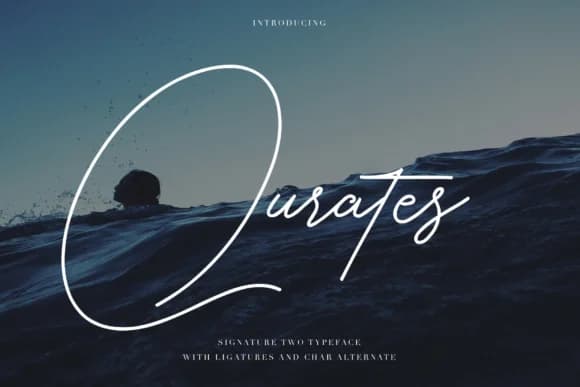
1 / 6About Qurates Signature Two Font
Qurates Signature Two by typobureaustudio is a refined monoline signature font that brings authentic handwritten elegance to contemporary design work. The clean, consistent stroke weight creates a polished aesthetic while preserving the personal, human quality of genuine penmanship. This distinctive style makes it particularly well-suited for premium brand identity applications, personalized wedding invitation suites, and artistic product packaging where understated sophistication matters. The font's beauty lies in its restrained approach, which translates effectively across numerous creative contexts and design disciplines. Whether you're designing minimalist restaurant menus, custom greeting card suites, boutique skincare packaging, or certificate layouts demanding refined warmth and visual personality, this typeface delivers exactly what discerning designers need. The inclusion of alternative letterforms provides welcome flexibility for designers seeking subtle variation within their compositions, allowing you to customize the exact visual character and mood you're pursuing for each project. This thoughtful detail demonstrates the care invested in the typeface's design. What truly distinguishes Qurates Signature Two is how its monoline construction maintains excellent legibility regardless of scale, equally effective displayed large in signage applications or small in intricate detail work. The consistent line weight ensures your message reads clearly while maintaining the font's distinctive personality and refined character. Whether used in a single application or across an entire brand system, its versatility shines through. Bring signature-quality elegance to your next creative project by exploring Qurates Signature Two on Creative Fabrica.
Style & Use Cases
- Overall Style
- Elegant, Flowing, Qurates Signature Two
- Use Case
- Invitations, Branding
- Ideal For
- wedding stationery, greeting cards, and signatures
- Pairs With
- a simple uppercase sans
How to Install Qurates Signature Two Font Font
Step-by-step instructions for every platform
- 1Download the Qurates Signature Two Font font file (.ttf or .otf).
- 2Locate the downloaded file in your Downloads folder.
- 3Right-click the font file.
- 4Select "Install" to install for the current user, or "Install for all users" to make it available system-wide.
- 5Qurates Signature Two Font is now available in Word, Photoshop, Illustrator, and all other apps.
More by typobureaustudio
View all →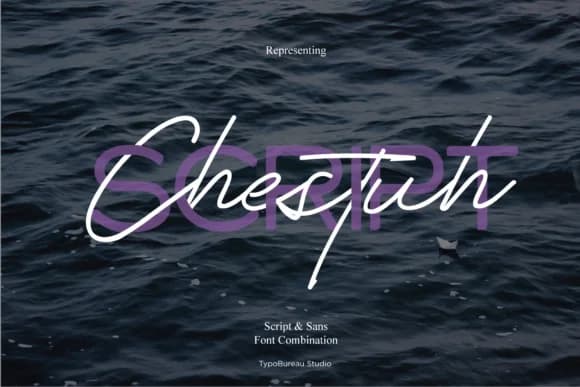
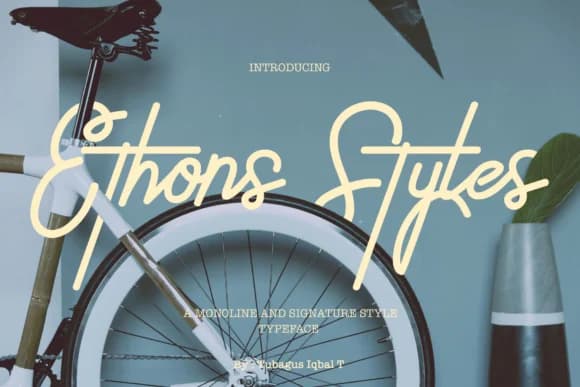
Browse fonts by theme
Curated collections →Saw a font in a picture? Identify any font from an image with our free Font Finder.
More Script Handwritten Fonts
Browse all →







What pairs well with Qurates Signature Two Font?
Qurates Signature Two Font is a script font that shines as a display or heading face. Pair it with a clean sans-serif or serif font for body text — the contrast creates a clear hierarchy while the two styles stay balanced and easy to read.



Qurates Signature Two Font
Reviewed by the FontBoxDL team · Updated May 2026