 Firefox
 1 / 5
1 / 5About Quick Silver Font
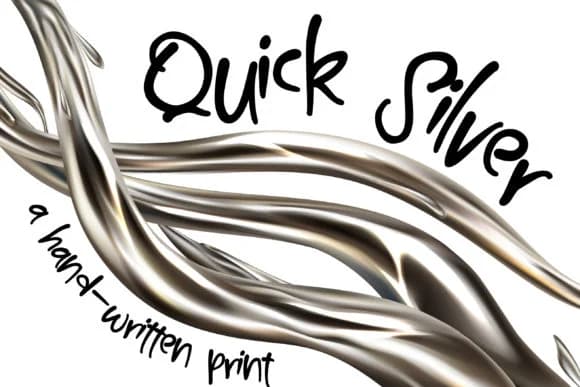
Quick Silver Font by Illustration Ink is a handwritten script that captures how pen lettering actually flows, without trying to digitize the process. The letters connect with organic rhythm and retain the subtle variations you'd encounter in actual writing. This works especially well for wedding invitation suites, personalized gift tags, hand-lettered greeting card designs, and custom product labels where that human touch carries real impact and sets your work apart from mass-produced alternatives.
The real challenge with handwritten typefaces is balancing personality with legibility without compromising either one. Too much quirkiness and text becomes impossible to read; too little character and you might as well reach for a regular serif. Quick Silver navigates that tension carefully: there's enough consistency to keep words working across different sizes, but the variations prevent it from feeling sterile or designed-by-committee. Notice how descenders flow and letterforms connect where the pen naturally transitions from one stroke to the next without skipping a beat.
Pair it with a clean sans-serif when you need visual contrast, or let it take center stage in layouts with plenty of white space. This font delivers personality without pretense, making it an obvious reach for any project that needs warmth without sacrificing readability. You can grab it on Creative Fabrica.
Style & Use Cases
- Overall Style
- Elegant, Flowing, Quick Silver
- Use Case
- Invitations, Branding
- Ideal For
- wedding stationery, greeting cards, and signatures
- Pairs With
- a simple uppercase sans
How to Install Quick Silver Font Font
Step-by-step instructions for every platform
- 1Download the Quick Silver Font font file (.ttf or .otf).
- 2Locate the downloaded file in your Downloads folder.
- 3Right-click the font file.
- 4Select "Install" to install for the current user, or "Install for all users" to make it available system-wide.
- 5Quick Silver Font is now available in Word, Photoshop, Illustrator, and all other apps.
More by Illustration Ink
View all →



Browse fonts by theme
Curated collections →Saw a font in a picture? Identify any font from an image with our free Font Finder.
More Script Handwritten Fonts
Browse all →







What pairs well with Quick Silver Font?
Quick Silver Font is a script font that shines as a display or heading face. Pair it with a clean sans-serif or serif font for body text — the contrast creates a clear hierarchy while the two styles stay balanced and easy to read.



Quick Silver Font
Reviewed by the FontBoxDL team · Updated July 2026