 Firefox
 1 / 8
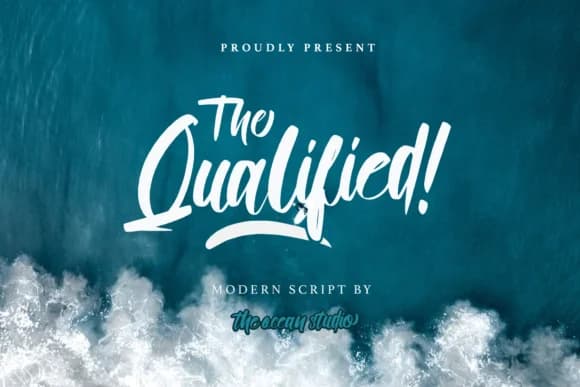
1 / 8About Qualified Font
Qualified Font by The Ocean Studio is a contemporary handwritten script that brings genuine character to lettering work while maintaining excellent clarity across sizes. The flowing letterforms strike an appealing balance between casual confidence and refined elegance, making this typeface well-suited to wedding invitation suites, personalized greeting card designs, and boutique skincare packaging. Its modern sensibility also translates beautifully to brand identities and social media graphics, where you want authentic handwriting without sacrificing the legibility your audience expects.
The font ships with a versatile weight and extensive glyphs including alternates and flourishes, so you can adjust the level of embellishment to match each project's specific tone and constraints. Hand-lettering a logo feels natural with Qualified, as does designing custom event signage or building cohesive packaging systems for small retail businesses. What distinguishes this typeface is how it adapts to layout requirements without forcing awkward spacing or losing the personality that makes script fonts worth using in the first place. The underlying construction remains clean and deliberate beneath all that flourish, meaning Qualified works equally well for headlines as it does for longer text where readability still matters.
Grab Qualified Font on Creative Fabrica and add this versatile script to your toolkit.
Style & Use Cases
- Overall Style
- Elegant, Flowing, Modern Script
- Use Case
- Invitations, Branding
- Ideal For
- wedding stationery, greeting cards, and signatures
- Pairs With
- a simple uppercase sans
How to Install Qualified Font Font
Step-by-step instructions for every platform
- 1Download the Qualified Font font file (.ttf or .otf).
- 2Locate the downloaded file in your Downloads folder.
- 3Right-click the font file.
- 4Select "Install" to install for the current user, or "Install for all users" to make it available system-wide.
- 5Qualified Font is now available in Word, Photoshop, Illustrator, and all other apps.
More by The Ocean Studio
View all →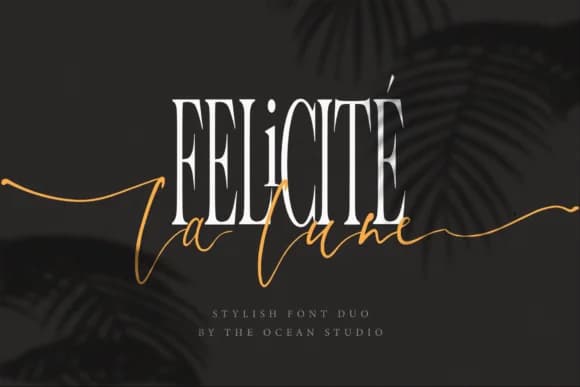


Browse fonts by theme
Curated collections →Saw a font in a picture? Identify any font from an image with our free Font Finder.
More Script Handwritten Fonts
Browse all →







What pairs well with Qualified Font?
Qualified Font is a script font that shines as a display or heading face. Pair it with a clean sans-serif or serif font for body text — the contrast creates a clear hierarchy while the two styles stay balanced and easy to read.



Qualified Font
Reviewed by the FontBoxDL team · Updated September 2026