 Firefox
 1 / 5
1 / 5About Pretty Fly Font
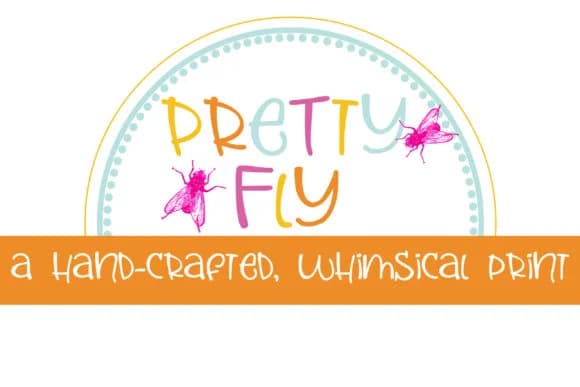
Pretty Fly Font by Illustration Ink is a hand-lettered script that brings playful, organic character to creative projects of all types. The design features a dual-case system that lets you mix uppercase and lowercase letterforms as you type, giving you countless typographic combinations for truly customized results without requiring design software workarounds.
This mixed-case flexibility works beautifully for wedding invitation suites, where varied letterforms add visual interest and elegance to custom stationery, or for boutique skincare packaging that needs an artisanal aesthetic to stand out on crowded retail shelves. The font suits personalized greeting cards with genuine handwritten charm, eye-catching Etsy product labels that reflect authentic creativity, and DIY event signage that feels personal and inviting.
The two-case system lets you achieve dynamic letter interplay and unexpected typographic rhythms that would normally require tedious manual design work, making Pretty Fly ideal for anyone building custom typography-driven graphics or decorative elements without extensive design experience. Whether you're working on social media graphics, craft projects, or personalized stationery, the handwritten quality feels genuine and approachable while offering creative flexibility for your most ambitious typography ideas.
Get Pretty Fly Font on Creative Fabrica and start exploring your most creative typographic combinations.
Style & Use Cases
- Overall Style
- Elegant, Flowing, Pretty Fly
- Use Case
- Invitations, Branding
- Ideal For
- wedding stationery, greeting cards, and signatures
- Pairs With
- a simple uppercase sans
How to Install Pretty Fly Font Font
Step-by-step instructions for every platform
- 1Download the Pretty Fly Font font file (.ttf or .otf).
- 2Locate the downloaded file in your Downloads folder.
- 3Right-click the font file.
- 4Select "Install" to install for the current user, or "Install for all users" to make it available system-wide.
- 5Pretty Fly Font is now available in Word, Photoshop, Illustrator, and all other apps.
More by Illustration Ink
View all →



Browse fonts by theme
Curated collections →Saw a font in a picture? Identify any font from an image with our free Font Finder.
More Script Handwritten Fonts
Browse all →







What pairs well with Pretty Fly Font?
Pretty Fly Font is a script font that shines as a display or heading face. Pair it with a clean sans-serif or serif font for body text — the contrast creates a clear hierarchy while the two styles stay balanced and easy to read.



Pretty Fly Font
Reviewed by the FontBoxDL team · Updated May 2026