 Firefox
 1 / 9
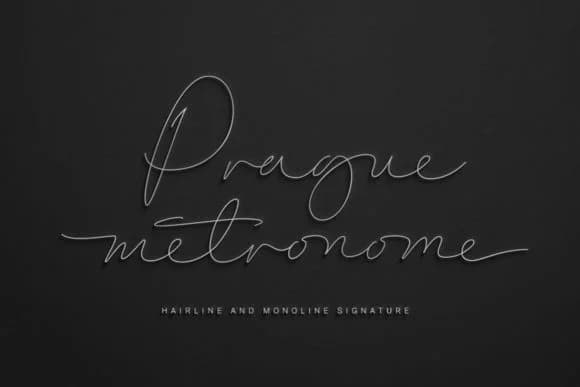
1 / 9About Prague Metronome Font
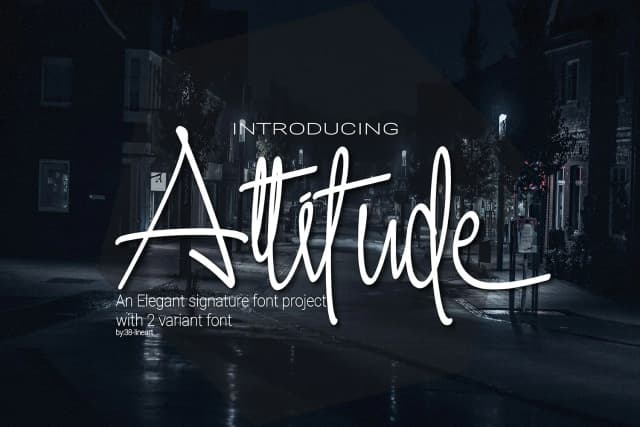
You're designing a luxury wedding invitation suite and need lettering with both delicacy and presence. Prague Metronome, crafted by designer 38.lineart, delivers exactly that in a handwritten script that cuts through the noise of so many generic typefaces. This typeface draws its inspiration directly from Prague's architectural and cultural identity, where centuries of history are woven into every street corner, building facade, and public square. The result is a font with genuine rhythm and distinctive character, one that balances refined elegance against the organic warmth of something truly hand-drawn and human.
Prague Metronome works particularly well for wedding invitation suites, high-end skincare and cosmetics packaging, artisan Etsy product labels, and bespoke stationery design. Each letterform carries a measured quality, almost methodical in its execution, which gives your layouts a real sense of intention and care that clients notice immediately. The included Hairline weight opens up entirely new possibilities when you need even thinner strokes for layered compositions or subtle decorative detail work. Extended language support means European-language projects stay fully supported, so you're never confined to English-only assignments.
Creative Fabrica has Prague Metronome ready for your next project. This is the kind of script that transforms your work from competent to genuinely considered.
Style & Use Cases
- Overall Style
- Elegant, Flowing, Prague Metronome
- Use Case
- Invitations, Branding
- Ideal For
- wedding stationery, greeting cards, and signatures
- Pairs With
- a simple uppercase sans
How to Install Prague Metronome Font Font
Step-by-step instructions for every platform
- 1Download the Prague Metronome Font font file (.ttf or .otf).
- 2Locate the downloaded file in your Downloads folder.
- 3Right-click the font file.
- 4Select "Install" to install for the current user, or "Install for all users" to make it available system-wide.
- 5Prague Metronome Font is now available in Word, Photoshop, Illustrator, and all other apps.
More by 38.lineart
View all →
Browse fonts by theme
Curated collections →Saw a font in a picture? Identify any font from an image with our free Font Finder.
More Script Handwritten Fonts
Browse all →







What pairs well with Prague Metronome Font?
Prague Metronome Font is a script font that shines as a display or heading face. Pair it with a clean sans-serif or serif font for body text — the contrast creates a clear hierarchy while the two styles stay balanced and easy to read.



Prague Metronome Font
by 38.lineart
Reviewed by the FontBoxDL team · Updated September 2026