
 1 / 7
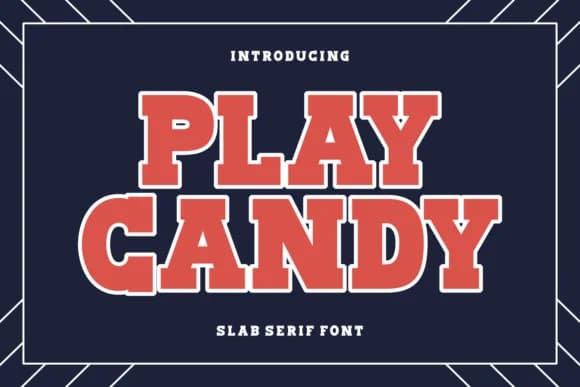
1 / 7About Play Candy Font
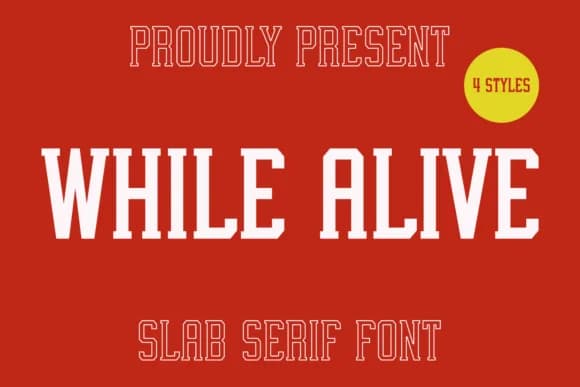
Play Candy by Ade (7NTypes) is a slab-serif typeface rooted in 1970s and 80s athletic design, bringing that era's graphic confidence into current work. This font nails that nostalgic varsity feel without overselling it. You get thick, muscular letterforms that defined athletic typography across those decades, and they still work because they're built on sound typographic proportions. Use it for sports team uniforms, varsity letterman designs, and collegiate merchandise where retro authenticity really matters. The solid slab-serif structure reads clearly whether scaled up for hoodie graphics or placed on packaging for vintage-leaning apparel brands looking to ground their identity in heritage.
What makes it useful is its directness and clarity. Pair it with a lighter face for event posters about basketball tournaments or baseball fundraisers, letting one typeface carry the main visual presence. It works just as well in craft projects like DIY sports signs or Etsy listings for vintage athletic wear. Designers building retro sporting event branding or creating nostalgic team identities come back to fonts with this kind of weight and geometric character because they communicate instantly and command attention. Grab Play Candy on Creative Fabrica and bring that authentic throwback energy to your next apparel or event project.
Style & Use Cases
- Overall Style
- Sturdy, Confident, Play Candy Font
- Use Case
- Headlines, Merch
- Ideal For
- vintage posters, logos, and product packaging
- Pairs With
- a light sans-serif
How to Install Play Candy Font
Step-by-step instructions for every platform
- 1Download the Play Candy font file (.ttf or .otf).
- 2Locate the downloaded file in your Downloads folder.
- 3Right-click the font file.
- 4Select "Install" to install for the current user, or "Install for all users" to make it available system-wide.
- 5Play Candy is now available in Word, Photoshop, Illustrator, and all other apps.
More by Ade (7NTypes)
View all →
Browse fonts by theme
Curated collections →Saw a font in a picture? Identify any font from an image with our free Font Finder.
More Slab Serif Fonts
Browse all →







What pairs well with Play Candy Font?
Play Candy Font is a slab serif font that shines as a display or heading face. Pair it with a clean sans-serif or serif font for body text — the contrast creates a clear hierarchy while the two styles stay balanced and easy to read.



Play Candy Font
Reviewed by the FontBoxDL team · Updated September 2026