
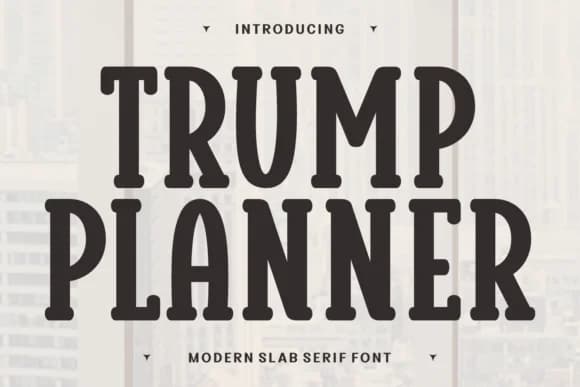
 1 / 7
1 / 7About Trump Planner Font
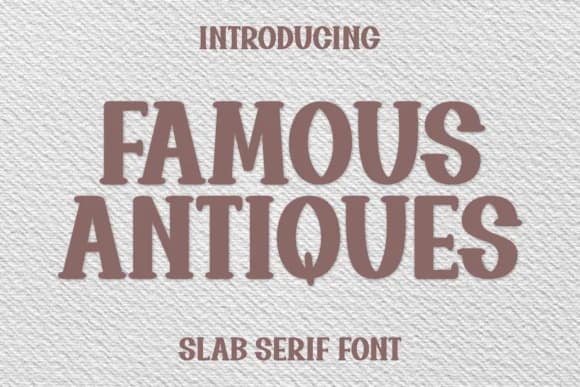
Bubbly retro charm with a hand-drawn, comic-book spirit that feels instantly playful. Trump Planner, designed by Ade of 7NTypes, is a slab-serif display font that channels chunky, rounded letterforms with undeniable personality and substantial weight. Every glyph feels friendly and impossible to ignore, making even simple headlines pop with character and nostalgia.
The font shines brightest on children's birthday tees, illustrated sticker sheet collections, festive greeting card suites, and hand-lettered craft labels. Its cartoon-friendly proportions work equally well for tote bag graphics, bespoke logo wordmarks that need warmth and character, and playful packaging concepts for brands leaning into retro or whimsical aesthetics. Try it at display sizes for fun event posters, doodle-style product stickers, or quirky t-shirt graphics where nostalgic appeal matters most. These rounded, bubble-letter forms make every design project feel warm and genuinely inviting.
Pair Trump Planner with a crisp, geometric sans-serif to ground any longer copy or body text information. This creates visual contrast that lets each typeface do its job, with the retro display font commanding all the design attention it deserves. Head to Creative Fabrica to grab Trump Planner and add that bouncy, vintage energy to your designs.
Style & Use Cases
- Overall Style
- Sturdy, Confident, Display Font
- Use Case
- Headlines, Merch
- Ideal For
- vintage posters, logos, and product packaging
- Pairs With
- a light sans-serif
How to Install Trump Planner Font
Step-by-step instructions for every platform
- 1Download the Trump Planner font file (.ttf or .otf).
- 2Locate the downloaded file in your Downloads folder.
- 3Right-click the font file.
- 4Select "Install" to install for the current user, or "Install for all users" to make it available system-wide.
- 5Trump Planner is now available in Word, Photoshop, Illustrator, and all other apps.
More by Ade (7NTypes)
View all →
Browse fonts by theme
Curated collections →Saw a font in a picture? Identify any font from an image with our free Font Finder.
More Slab Serif Fonts
Browse all →







What pairs well with Trump Planner Font?
Trump Planner Font is a slab serif font that shines as a display or heading face. Pair it with a clean sans-serif or serif font for body text — the contrast creates a clear hierarchy while the two styles stay balanced and easy to read.



Trump Planner Font
Reviewed by the FontBoxDL team · Updated August 2026